

What Are WordPress SEO Services?
WordPress SEO Services are a comprehensive set of strategies, tools, and optimization techniques specifically designed to improve the visibility, performance, and search engine rankings of WordPress websites. These services go far beyond basic keyword placement, they involve a complete optimization of your website’s content, structure, speed, and technical foundation to ensure it performs well in search engines like Google.
At their core, WordPress SEO Services focus on making your website easier for search engines to crawl, understand, and rank, while also improving the user experience for visitors.
The Core Purpose of WordPress SEO Services
The primary goal of WordPress SEO Services is to increase your website’s organic traffic by improving its position in search engine results pages (SERPs). This is achieved by aligning your website with search engine algorithms and user intent.
Key objectives include:
- Improving search rankings for target keywords
- Enhancing website visibility and discoverability
- Increasing qualified organic traffic
- Boosting user engagement and conversions
These services ensure that your website not only attracts visitors but also delivers value that keeps them engaged.
Key Components of WordPress SEO Services
To fully understand their impact, it’s important to break down the main components involved:
1. On-Page Optimization
On-page SEO focuses on optimizing elements directly within your website.
This includes:
- Writing compelling meta descriptions and title tags
- Structuring content with proper headings
- Optimizing keywords naturally within content
- Improving internal linking for better navigation
- Enhancing image optimization with ALT tags
These improvements help search engines understand your content and improve click-through rates.
2. Technical SEO Optimization
Technical SEO ensures your website is properly structured and accessible to search engines.
Key areas include:
- Creating and submitting XML sitemaps
- Fixing crawlability issues
- Resolving indexing problems
- Optimizing permalink structure
- Improving site architecture
A strong technical foundation allows search engines to efficiently crawl and index your website.
3. Content Optimization and Keyword Research
Content is the backbone of SEO success. Effective keyword research identifies what your audience is searching for, while content optimization ensures your pages meet those needs.
Strategies include:
- Targeting relevant keywords
- Creating high-quality, valuable content
- Updating existing content for better performance
- Aligning content with search intent
This helps your website rank for the right queries and attract qualified traffic.
4. Performance and Speed Optimization
Website speed is a critical ranking factor. WordPress SEO Services include performance improvements to enhance user experience and meet search engine standards.
Focus areas:
- Improving page speed
- Optimizing Core Web Vitals
- Reducing server response time
- Enhancing mobile responsiveness
Faster websites lead to better rankings and lower bounce rates.
5. Advanced SEO Techniques
Beyond the basics, advanced strategies help your website stand out in competitive search results.
These include:
- Implementing schema markup for rich snippets
- Configuring SEO plugins for automation
- Building high-quality backlinks
- Conducting technical audits
These techniques provide a competitive edge and improve visibility.
How WordPress SEO Services Work Together?
The true power of WordPress SEO Services lies in how all these elements work together as a unified strategy.
For example:
- Technical SEO ensures your site is crawlable
- On-page optimization improves relevance
- Content optimization targets user intent
- Performance optimization enhances user experience
When combined, these efforts create a website that is both search engine-friendly and user-focused.
Who Needs WordPress SEO Services?
These services are essential for:
- Beginners who want to build a strong SEO foundation
- Business owners looking to increase online visibility
- Bloggers and content creators aiming to grow traffic
- Ecommerce websites targeting higher conversions
- Agencies and professionals managing multiple sites
No matter your experience level, SEO services help you achieve sustainable growth.
WordPress SEO Services vs Basic SEO Tools
Many users rely on plugins alone, but tools are only part of the solution.
| Feature | SEO Plugins | WordPress SEO Services |
|---|---|---|
| Automation | Yes | Yes |
| Strategy | Limited | Comprehensive |
| Technical Optimization | Basic | Advanced |
| Long-Term Growth | Limited | High |
Key takeaway: Plugins assist, but a full SEO strategy drives real results.
Pro Tip: SEO is a Long-Term Investment
One of the most important things to understand is that WordPress SEO Services are not a one-time task. SEO is an ongoing process that requires continuous optimization, monitoring, and improvement.
Websites that consistently apply SEO strategies:
- Maintain higher rankings
- Attract more organic traffic
- Achieve sustainable growth
In today’s competitive digital landscape, simply having a website is not enough. You need a well-optimized website that can rank, perform, and convert. WordPress SEO Services provide the framework and expertise needed to turn your website into a powerful traffic-generating asset.
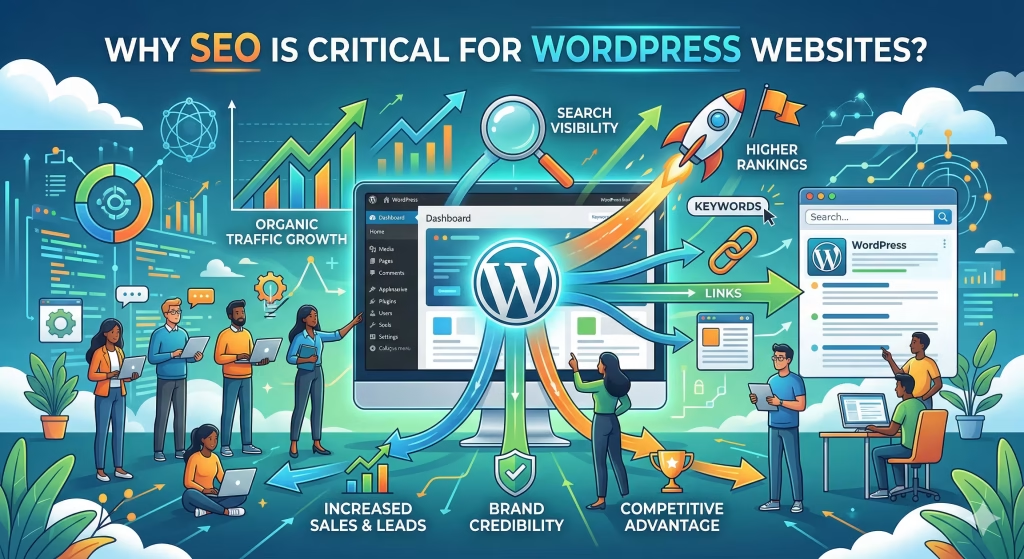
Why SEO is Critical for WordPress Websites?
In today’s highly competitive digital landscape, simply building a website is not enough. Without proper optimization, your website may never reach its target audience. This is where WordPress SEO Services become essential. SEO (Search Engine Optimization) ensures that your website is visible in search engine results, helping you attract the right visitors at the right time.
For WordPress websites, SEO is especially critical because while the platform is SEO-friendly by default, it still requires strategic optimization to unlock its full potential.
1. SEO Drives Organic Traffic Without Paid Ads
One of the biggest advantages of SEO is its ability to generate organic traffic visitors who find your website through search engines rather than paid advertisements.
Why this matters:
- Reduces dependency on paid marketing
- Provides long-term traffic growth
- Attracts users actively searching for your services
With effective WordPress SEO Services, your website can rank for relevant keywords and continuously bring in traffic without ongoing ad spend.
2. Improves Search Rankings and Online Visibility
Search engines like Google use complex algorithms to determine which websites appear at the top of search results. Without SEO, your website may remain buried under competitors.
SEO helps you:
- Rank higher for target keywords
- Increase visibility in search results
- Gain a competitive advantage
Higher rankings mean more clicks, and more clicks mean more opportunities for growth.
3. Enhances User Experience (UX)
SEO is not just about search engines, it’s also about users. A well-optimized website provides a better experience, which directly impacts engagement and conversions.
Key improvements include:
- Faster page speed
- Mobile responsiveness
- Easy navigation and site structure
- Clear and valuable content
Search engines prioritize websites that deliver a great user experience, making UX a critical part of WordPress SEO Services.
4. Supports Core Web Vitals and Performance Optimization
Google’s ranking system includes Core Web Vitals, which measure real-world user experience.
These include:
- Loading speed (LCP)
- Interactivity (FID)
- Visual stability (CLS)
Optimizing these metrics improves both rankings and user satisfaction. A fast, responsive website keeps visitors engaged and reduces bounce rates.
5. Helps Fix Technical Issues That Block Growth
Many WordPress websites suffer from hidden technical issues that limit their performance.
Common problems include:
- Crawlability issues
- Indexing problems
- Broken links
- Poor site architecture
WordPress SEO Services identify and fix these issues, ensuring search engines can properly access and rank your content.
6. Builds Trust, Authority, and Credibility
Websites that rank higher in search results are often perceived as more trustworthy and authoritative.
SEO helps build credibility through:
- High-quality content
- Secure website (SSL)
- Backlink building
- Consistent performance
When users trust your website, they are more likely to engage, convert, and return.
7. Maximizes the Power of WordPress Features
WordPress is naturally SEO-friendly, but its full potential is only realized with proper optimization.
SEO enhances built-in features such as:
- Permalink structure
- Plugin configuration
- XML sitemaps
- Media library optimization
By leveraging these features effectively, you can significantly improve your website’s performance.
8. Increases Conversions and Business Growth
SEO doesn’t just bring traffic, it brings the right traffic. Visitors who find your site through search engines are often actively looking for solutions.
This leads to:
- Higher conversion rates
- More leads and sales
- Better return on investment (ROI)
For business owners, WordPress SEO Services become a powerful tool for sustainable growth.
9. Provides Long-Term Results
Unlike paid advertising, which stops generating traffic once you stop spending, SEO delivers long-term results.
Benefits of long-term SEO:
- Continuous traffic growth
- Stable rankings over time
- Compounding returns
Investing in SEO today ensures your website remains competitive in the future.
10. Keeps You Ahead of Competitors
Your competitors are likely investing in SEO. Without it, you risk falling behind.
SEO helps you:
- Identify competitor strategies
- Target untapped keywords
- Improve your market position
Staying proactive with WordPress SEO Services ensures you maintain a strong presence in your industry.
Pro Tip: SEO is Both Strategy and Execution
Successful SEO requires more than just tools, it requires a well-planned strategy combined with consistent execution. From keyword research to technical optimization, every step plays a role in your website’s success.
SEO is not optional, it’s a necessity. A WordPress website without SEO is like a store without a sign. WordPress SEO Services ensure your website is visible, accessible, and optimized to attract, engage, and convert visitors.
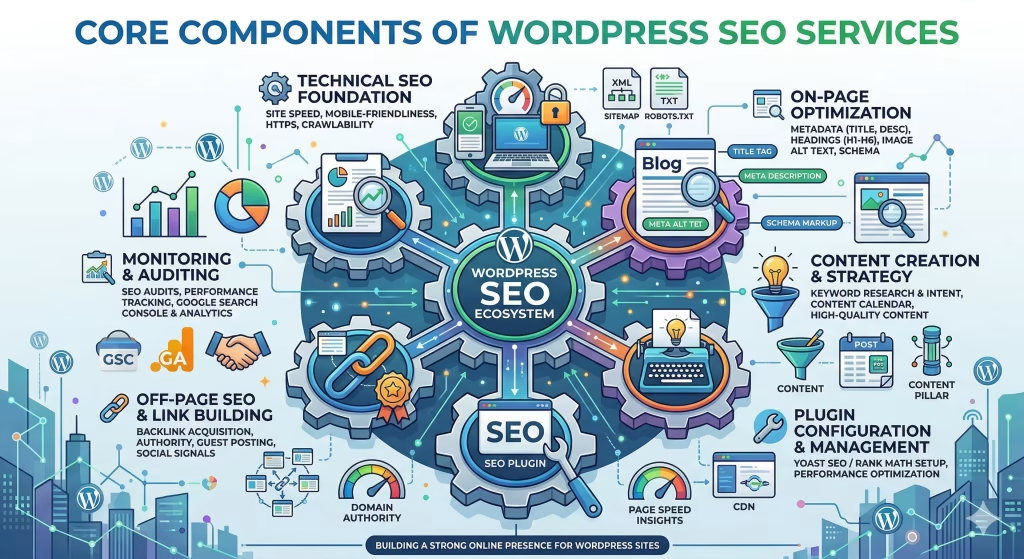
Core Components of WordPress SEO Services
To achieve real, long-term results, WordPress SEO Services are not built on a single tactic, they rely on a combination of interconnected components that work together to improve visibility, performance, and user experience. Each component plays a unique role, and when properly aligned, they create a powerful SEO ecosystem that drives consistent organic traffic and higher search rankings.
Understanding these core components helps you build a strong foundation and ensures that no critical aspect of SEO is overlooked.
1. On-Page Optimization: Building Relevance and Visibility
On-page optimization focuses on everything within your website that influences how search engines understand your content. It ensures that your pages are relevant to user queries and properly structured for indexing.
2. Technical SEO: Strengthening Your Website’s Foundation
Technical SEO ensures that your website is accessible, crawlable, and indexable by search engines. Without a solid technical foundation, even the best content may fail to rank.
3. Content Optimization: Delivering Value and Relevance
Content is at the heart of SEO success. WordPress SEO Services focus heavily on creating and optimizing content that aligns with user intent and search queries.
4. Performance Optimization: Speed and User Experience
Website performance is a critical ranking factor and a key part of user experience. Slow-loading websites lead to higher bounce rates and lower rankings.
5. Mobile Optimization: Adapting to Modern Users
With mobile-first indexing, Google primarily evaluates your website based on its mobile version. This makes mobile optimization essential.
Key practices include:
- Ensuring mobile responsiveness
- Optimizing layouts for smaller screens
- Improving mobile page speed
- Simplifying navigation
A mobile-friendly website improves accessibility and boosts rankings.
6. Schema Markup and Advanced SEO Features
Schema markup is a powerful tool that helps search engines better understand your content.
Benefits include:
- Enhanced search results (rich snippets)
- Increased click-through rates
- Improved content visibility
In addition, advanced SEO techniques include:
- Structured data implementation
- Advanced plugin configuration
- Automation of SEO tasks
These features give your website a competitive edge.
7. Link Building: Establishing Authority and Trust
Backlinks are one of the most important ranking factors. They signal to search engines that your website is credible and authoritative.
Key link-building strategies:
- Earning high-quality backlinks from reputable sites
- Creating shareable content
- Building relationships with other websites
- Using guest posting and outreach
Strong backlinks significantly improve domain authority and rankings.
8. Internal Linking and Site Architecture
Internal linking is often overlooked but plays a crucial role in SEO.
Benefits include:
- Improved crawlability
- Better distribution of page authority
- Enhanced user navigation
- Clear content hierarchy
A well-structured site architecture ensures that both users and search engines can easily navigate your website.
9. Technical Audits and Continuous Monitoring
SEO is not a one-time process, it requires ongoing analysis and improvement.
Regular SEO audits help:
- Identify technical issues
- Monitor performance metrics
- Detect crawl errors
- Track keyword rankings
Continuous monitoring ensures your website stays optimized and competitive.
10. Integration of All Components for Maximum Impact
The real strength of WordPress SEO Services lies in how these components work together.
For example:
- Technical SEO ensures your site is accessible
- On-page optimization improves relevance
- Content optimization targets user intent
- Performance optimization enhances user experience
When combined, these elements create a well-rounded SEO strategy that delivers sustainable growth.
Pro Tip: Focus on Balance, Not Just One Area
Many websites fail because they focus only on one aspect of SEO, such as content or backlinks. The key to success is balancing all components to create a complete and effective strategy.
The Core Components of WordPress SEO Services form the backbone of a successful online presence. By optimizing each area from technical structure to content and performance, you can build a website that ranks higher, loads faster, and delivers real value to users.
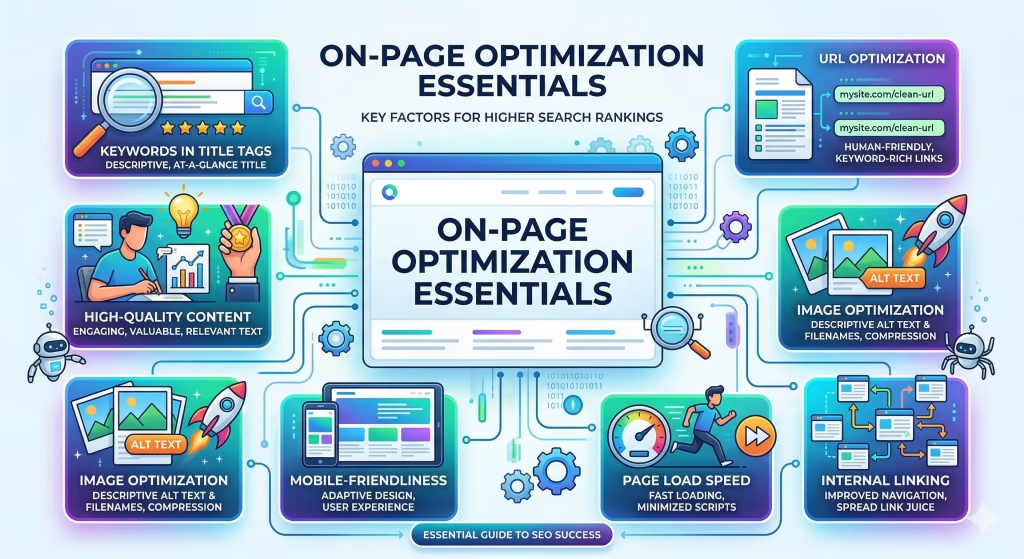
On-Page Optimization Essentials
On-page optimization is one of the most critical pillars of WordPress SEO Services. It focuses on optimizing elements directly within your website to improve relevance, user experience, and search engine visibility. When done correctly, on-page SEO helps search engines understand your content while also encouraging users to engage, stay longer, and convert.
Unlike technical SEO, which works behind the scenes, on-page optimization is what users and search engines interact with directly. It forms the foundation of your website’s ability to rank for target keywords and drive organic traffic.
1. Optimizing Meta Titles and Meta Descriptions
Meta titles and meta descriptions are the first elements users see in search results. They play a crucial role in both rankings and click-through rates (CTR).
Best practices:
- Include your target keyword naturally
- Keep titles under 60 characters
- Keep descriptions within 155–160 characters
- Use action-driven language to encourage clicks
A compelling meta description can significantly increase your traffic even without changing rankings.
2. Content Structure and Heading Optimization
Proper content structure improves readability and helps search engines understand your page hierarchy.
Key strategies:
- Use a clear H1 for the main topic
- Organize content with H2, H3, and H4 subheadings
- Include semantic keywords naturally
- Break content into short, digestible sections
Well-structured content enhances both user experience and SEO performance.
3. Keyword Optimization and Placement
Effective keyword usage ensures your content aligns with user search intent.
Optimization tips:
- Place keywords in the first 100 words
- Use keywords in headings and subheadings
- Avoid keyword stuffing
- Incorporate related semantic keywords
Smart keyword placement helps search engines identify your page’s relevance without harming readability.
4. Internal Linking Strategy
Internal linking is a powerful yet often overlooked component of on-page SEO.
Benefits include:
- Improves crawlability
- Distributes link authority across pages
- Guides users to relevant content
- Reduces bounce rates
Best practices:
- Link to relevant pages within your site
- Use descriptive anchor text
- Avoid excessive linking
A strong internal linking structure strengthens your overall SEO strategy.
5. Image Optimization for SEO and Speed
Images enhance user experience but can negatively impact performance if not optimized.
Image optimization techniques:
- Compress images to reduce file size
- Use descriptive ALT text with keywords
- Choose modern formats like WebP
- Enable lazy loading
Optimized images improve both page speed and accessibility.
6. URL and Permalink Optimization
Clean and descriptive URLs improve both user experience and search engine understanding.
Best practices:
- Use short, keyword-rich URLs
- Avoid unnecessary parameters
- Maintain a consistent permalink structure
Example:
- Good:
/wordpress-seo-services - Bad:
/page?id=123
Optimized URLs make your content more readable and SEO-friendly.
7. Content Quality and Relevance
Search engines prioritize content that delivers real value to users.
High-quality content should:
- Answer user questions clearly
- Provide actionable insights
- Be easy to read and engaging
- Include relevant keywords naturally
Content optimization is not just about keywords, it’s about meeting user intent.
8. Readability and User Experience
User experience plays a major role in SEO. If visitors struggle to read or navigate your content, they are more likely to leave.
Improve readability by:
- Using short paragraphs and sentences
- Adding bullet points and lists
- Avoiding complex language
- Using conversational tone where appropriate
Better readability leads to longer session durations and improved rankings.
9. Optimizing for Featured Snippets
Featured snippets (Position #0) can significantly increase visibility.
To optimize for snippets:
- Answer questions clearly and concisely
- Use structured formats (lists, tables)
- Include definitions near the top of content
This increases your chances of appearing at the top of search results.
10. Aligning On-Page SEO with Search Intent
Understanding search intent is essential for effective on-page optimization.
Types of intent:
- Informational (learning something)
- Navigational (finding a specific page)
- Transactional (ready to buy or act)
Your content should match the intent behind the keyword to achieve higher rankings.
Pro Tip: Focus on Users First, Search Engines Second
While on-page SEO involves technical elements, the ultimate goal is to serve your audience. Content that provides real value naturally performs better in search rankings.
On-Page Optimization Essentials are the backbone of successful WordPress SEO Services. By optimizing your content, structure, and user experience, you create a website that is both search engine-friendly and user-focused, leading to higher rankings, better engagement, and sustained growth.
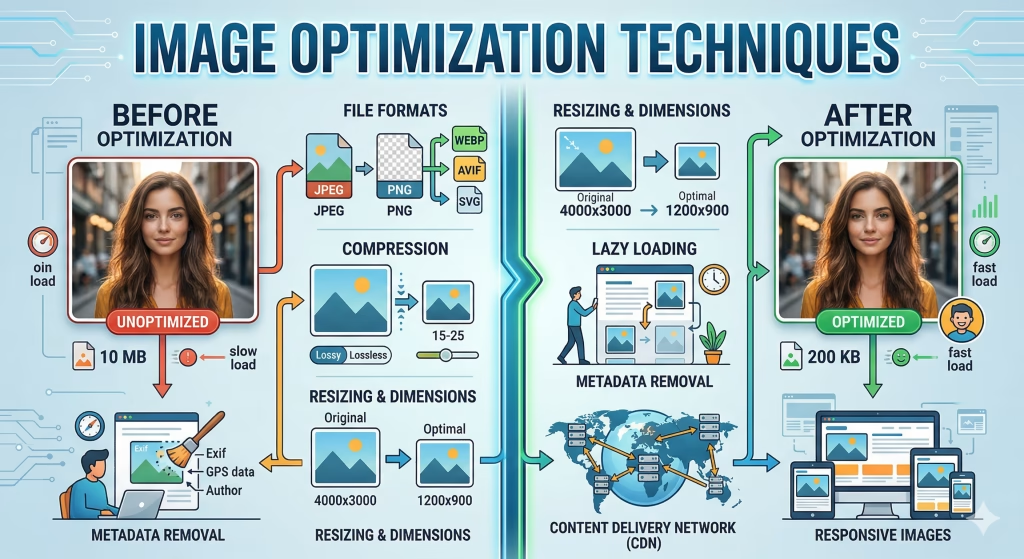
Image Optimization Techniques
Images play a vital role in enhancing user experience, improving engagement, and making your content visually appealing. However, if not optimized properly, they can significantly slow down your website and negatively impact your SEO performance. This is where image optimization techniques become an essential part of WordPress SEO Services.
Optimizing images ensures that your website maintains fast page speed, meets Core Web Vitals standards, and delivers a smooth experience across all devices all of which directly influence search rankings and organic traffic.
1. Compress Images Without Losing Quality
Large image files are one of the biggest causes of slow-loading websites.
Best practices:
- Use image compression tools to reduce file size
- Maintain a balance between quality and performance
- Avoid uploading unnecessarily large images
Compressed images load faster, improving both user experience and SEO.
2. Choose the Right Image Format
Different image formats serve different purposes.
Common formats:
- JPEG: Best for photographs
- PNG: Ideal for images requiring transparency
- WebP: Modern format offering superior compression and quality
Using the correct format can significantly improve loading speed and performance.
3. Use Descriptive File Names
Search engines cannot “see” images, they rely on file names and metadata to understand them.
Example:
- Bad:
IMG1234.jpg - Good:
wordpress-seo-services-optimization.jpg
Descriptive file names improve image SEO and help your content rank in image search results.
4. Optimize ALT Text for Accessibility and SEO
ALT text (alternative text) describes the content of an image.
Why it matters:
- Helps search engines understand images
- Improves accessibility for visually impaired users
- Supports keyword relevance
Best practices:
- Write clear, descriptive ALT text
- Include keywords naturally
- Avoid keyword stuffing
5. Implement Lazy Loading
Lazy loading delays the loading of images until they are needed (when users scroll down the page).
Benefits:
- Reduces initial page load time
- Improves performance metrics
- Enhances user experience
This technique is especially useful for pages with multiple images.
6. Resize Images for Different Devices
Uploading oversized images can slow down your website.
Optimization tips:
- Resize images to match display dimensions
- Use responsive image techniques
- Avoid scaling large images with CSS
Properly sized images ensure faster loading across all devices.
7. Use a Content Delivery Network (CDN)
A CDN distributes your images across multiple global servers, delivering them from the closest location to the user.
Advantages:
- Faster loading times worldwide
- Reduced server load
- Improved performance during traffic spikes
CDN integration is a powerful way to enhance image delivery.
8. Enable Image Caching
Caching stores static versions of images, reducing the need to reload them repeatedly.
Benefits:
- Faster page load for returning visitors
- Reduced server requests
- Improved overall performance
Caching is a key component of performance optimization.
9. Optimize Images for Core Web Vitals
Images directly impact Core Web Vitals, especially Largest Contentful Paint (LCP).
To optimize for Core Web Vitals:
- Use properly sized images
- Compress files efficiently
- Prioritize above-the-fold images
Optimized images help your website meet Google’s performance standards.
10. Use Structured Data for Images
Adding schema markup to images can enhance their visibility in search results.
Benefits:
- Rich image results
- Increased click-through rates
- Better search engine understanding
This is especially useful for ecommerce and content-rich websites.
11. Optimize Media Library Management
A well-organized media library improves workflow and performance.
Best practices:
- Remove unused images
- Organize files with proper naming
- Regularly clean up duplicates
Efficient media management keeps your website lightweight and optimized.
Common Mistakes to Avoid
Avoid these common image optimization errors:
- Uploading high-resolution images without compression
- Ignoring ALT text
- Using incorrect file formats
- Overloading pages with too many images
- Not enabling lazy loading
Even small mistakes can significantly impact performance.
Pro Tip: Balance Visual Quality and Performance
While high-quality images enhance design, they should never compromise performance. The key is to maintain visual appeal while ensuring fast load times and smooth user experience.
Image Optimization Techniques are a crucial part of WordPress SEO Services. By optimizing your images effectively, you improve page speed, enhance user experience, and boost your chances of ranking higher in search results.
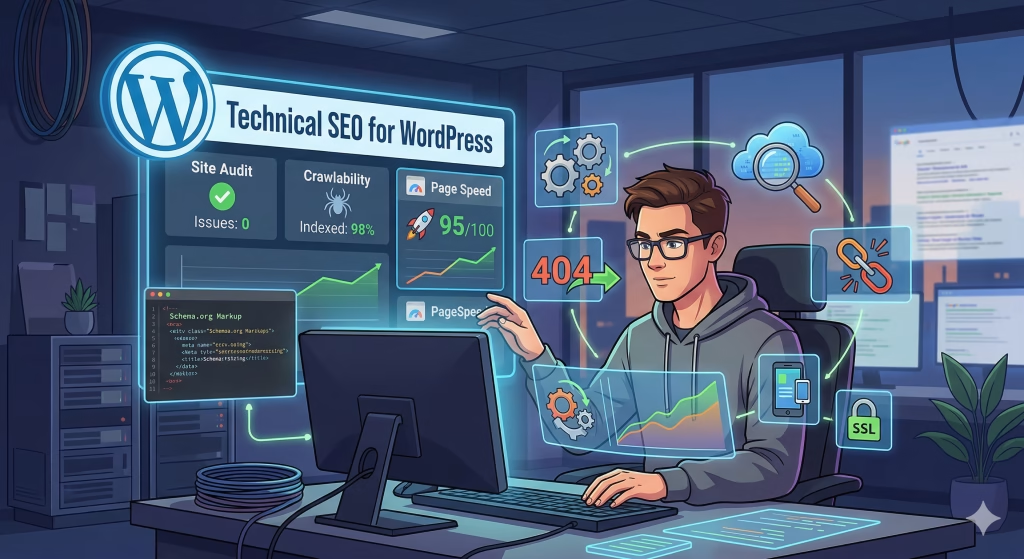
Technical SEO for WordPress
Technical SEO is the backbone of effective WordPress SEO Services. While content and on-page optimization help your website appear relevant, technical SEO ensures that search engines can crawl, index, and understand your website efficiently. Without a strong technical foundation, even the best content may fail to rank.
For WordPress websites, technical SEO involves optimizing site structure, resolving backend issues, and improving performance to align with search engine requirements.
1. Improving Crawlability and Indexing
Search engines use bots (crawlers) to discover and analyze your website. If your site has crawlability issues or indexing problems, important pages may never appear in search results.
Key optimization steps:
- Create and submit XML sitemaps
- Ensure proper robots.txt configuration
- Fix broken links and redirect errors
- Avoid duplicate content issues
Why it matters:
If search engines can’t access your content, they can’t rank it.
2. Optimizing Site Architecture
A well-structured website makes it easier for both users and search engines to navigate your content.
Best practices:
- Use a clear hierarchical structure (Homepage → Categories → Pages)
- Keep important pages within 2–3 clicks from the homepage
- Group related content into logical categories
- Implement strong internal linking
A clean site architecture improves crawl efficiency and enhances user experience.
3. Fixing Permalink Structure
Permalinks are the URLs of your pages. A clean and SEO-friendly permalink structure improves readability and ranking potential.
Best practices:
- Use short, keyword-rich URLs
- Avoid unnecessary parameters and numbers
- Maintain consistency across your site
Example:
- Good:
/wordpress-seo-services - Bad:
/index.php?id=456
Optimized permalinks help both users and search engines understand your content.
4. Enhancing Page Speed and Performance
Website speed is a critical ranking factor and a key part of Core Web Vitals.
Optimization techniques:
- Enable caching
- Minimize CSS and JavaScript files
- Use a Content Delivery Network (CDN)
- Optimize images and media
- Choose high-performance hosting
Faster websites lead to better rankings, lower bounce rates, and improved user satisfaction.
5. Mobile Optimization and Responsiveness
With Google’s mobile-first indexing, your website’s mobile version is the primary version used for ranking.
Key practices:
- Use responsive design
- Optimize mobile page speed
- Ensure easy navigation on small screens
- Avoid intrusive pop-ups
A mobile-friendly website is essential for both SEO and user experience.
6. Implementing Schema Markup
Schema markup (structured data) helps search engines better understand your content.
Benefits include:
- Rich snippets in search results
- Improved click-through rates
- Enhanced content visibility
Common schema types:
- Articles
- Products
- FAQs
Adding schema gives your website a competitive edge in search results.
7. Managing Duplicate Content Issues
Duplicate content can confuse search engines and dilute ranking signals.
Solutions include:
- Use canonical tags
- Avoid duplicate pages
- Consolidate similar content
- Properly manage categories and tags
This ensures search engines know which version of your content to index.
8. Securing Your Website (HTTPS)
Security is a ranking factor, and HTTPS is essential for protecting user data.
Benefits:
- Improved trust and credibility
- Better search rankings
- Secure data transmission
Most hosting providers offer free SSL certificates, making this an easy yet critical optimization.
9. Optimizing Robots.txt and Crawl Budget
Your robots.txt file controls which pages search engines can access.
Best practices:
- Allow access to important pages
- Block unnecessary or duplicate pages
- Optimize crawl budget for large websites
Efficient crawl management ensures search engines focus on your most valuable content.
10. Regular Technical SEO Audits
Technical SEO is not a one-time task—it requires continuous monitoring and improvement.
Regular audits help you:
- Identify crawl errors
- Detect broken links
- Monitor indexing status
- Analyze site performance
Using SEO tools, you can stay ahead of issues and maintain optimal performance.
Common Technical SEO Mistakes to Avoid
Avoid these common errors:
- Ignoring crawl errors
- Using poor site structure
- Not optimizing for mobile
- Slow page speed
- Duplicate content issues
Even small technical issues can significantly impact your rankings.
Pro Tip: Build a Strong Technical Foundation First
Before focusing heavily on content or backlinks, ensure your website’s technical SEO is solid. A strong foundation allows all other SEO efforts to perform effectively.
Technical SEO for WordPress is the engine that powers your entire SEO strategy. By improving crawlability, performance, and structure, you create a website that search engines can easily understand and rank leading to better visibility, higher traffic, and long-term success.
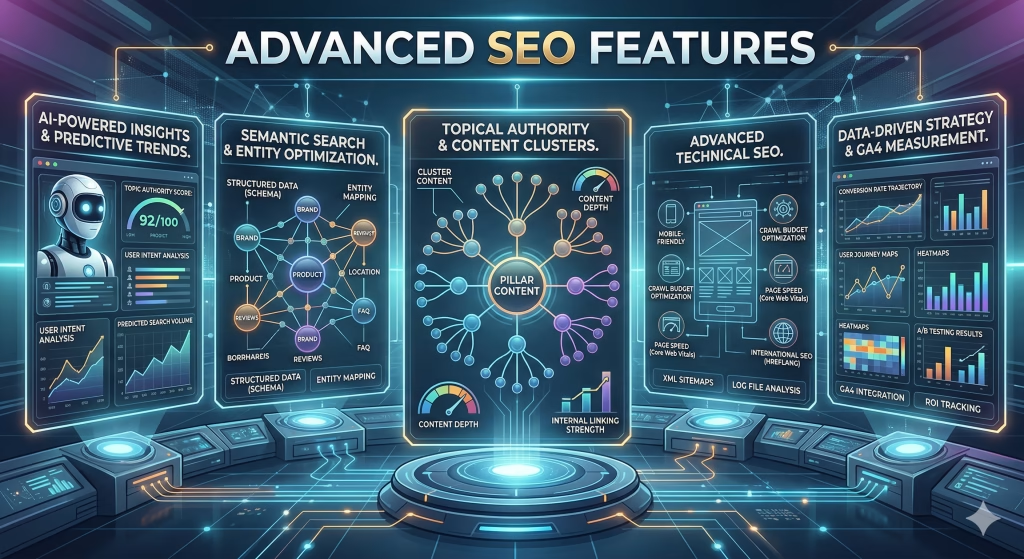
Advanced SEO Features
Once the foundational elements of SEO are in place, the next step is leveraging advanced SEO features to gain a competitive edge. These features go beyond basic optimization and focus on enhancing how search engines interpret your content, improving visibility, and maximizing click-through rates.
In the context of WordPress SEO Services, advanced SEO features allow you to unlock the full potential of your website by combining automation, structured data, and intelligent optimization strategies.
1. Schema Markup Implementation (Structured Data)
Schema markup is one of the most powerful advanced SEO techniques. It helps search engines understand the context of your content more effectively.
What it does:
- Adds structured data to your pages
- Enables rich snippets in search results
- Improves click-through rates (CTR)
Common schema types:
- Articles
- FAQs
- Products
- Reviews
For example, adding FAQ schema can allow your content to appear directly in search results, increasing visibility and engagement.
2. Advanced Plugin Configuration for SEO Automation
WordPress offers powerful SEO plugins that automate and simplify optimization tasks. However, simply installing a plugin is not enough, proper configuration is key.
Advanced configurations include:
- Custom meta title and description templates
- Automatic XML sitemap generation
- Canonical URL settings
- Breadcrumb navigation
- Schema integration
Well-configured plugins streamline your SEO workflow and ensure consistency across your website.
3. Core Web Vitals Optimization
Google’s Core Web Vitals are critical performance metrics that directly impact rankings.
Key metrics:
- Largest Contentful Paint (LCP): Loading speed
- First Input Delay (FID): Interactivity
- Cumulative Layout Shift (CLS): Visual stability
Optimization techniques:
- Reduce server response time
- Optimize images and scripts
- Use efficient caching
- Minimize layout shifts
Improving these metrics enhances both user experience and SEO performance.
4. Advanced Keyword Targeting and Topic Clustering
Modern SEO is no longer about targeting single keywords, it’s about building topical authority.
Strategies include:
- Creating pillar content with supporting cluster articles
- Targeting long-tail and semantic keywords
- Grouping related topics into content hubs
This approach helps search engines understand your expertise and improves rankings across multiple keywords.
5. Content Automation and Dynamic Optimization
Advanced SEO tools allow for dynamic content optimization based on user behavior and search trends.
Examples:
- Automatically updating meta tags
- Optimizing content for featured snippets
- Using AI tools for keyword suggestions
- Personalizing content for users
These techniques ensure your content stays relevant and competitive over time.
6. Advanced Internal Linking Strategies
Internal linking at an advanced level goes beyond basic navigation.
Techniques include:
- Creating topic clusters with pillar pages
- Using contextual anchor text
- Linking high-authority pages to new content
- Automating internal linking with plugins
This strengthens site structure and distributes SEO value effectively.
7. Backlink Analysis and Strategic Link Building
Backlinks remain one of the strongest ranking factors. Advanced SEO focuses on quality over quantity.
Key strategies:
- Analyzing competitor backlinks
- Earning links from high-authority websites
- Creating link-worthy content
- Monitoring backlink profiles
A strong backlink strategy builds authority and improves search rankings.
8. Crawl Budget Optimization
For larger websites, managing crawl budget is essential.
What it involves:
- Ensuring search engines focus on important pages
- Blocking low-value or duplicate pages
- Optimizing site structure for efficient crawling
Efficient crawl budget usage improves indexing and overall SEO performance.
9. A/B Testing for SEO Performance
Advanced SEO includes testing different strategies to identify what works best.
You can test:
- Meta titles and descriptions
- Content layouts
- Call-to-action placements
- Page structures
A/B testing helps you continuously improve performance and maximize results.
10. Monitoring and Data-Driven Optimization
Advanced SEO relies heavily on data analysis.
Key metrics to track:
- Search rankings
- Organic traffic
- Bounce rates
- Conversion rates
Using analytics tools, you can make informed decisions and refine your strategy over time.
Common Mistakes in Advanced SEO
Avoid these pitfalls:
- Overcomplicating strategies without a solid foundation
- Ignoring data and analytics
- Overusing automation without quality control
- Neglecting user experience
Advanced SEO should enhance your strategy, not replace the basics.
Pro Tip: Combine Automation with Strategy
Automation tools can save time, but they should always be guided by a clear SEO strategy. The best results come from combining technology with human insight.
Advanced SEO Features are what separate average websites from top-ranking competitors. By implementing structured data, optimizing performance, and using data-driven strategies, WordPress SEO Services can transform your website into a high-performing, search engine-dominating platform.
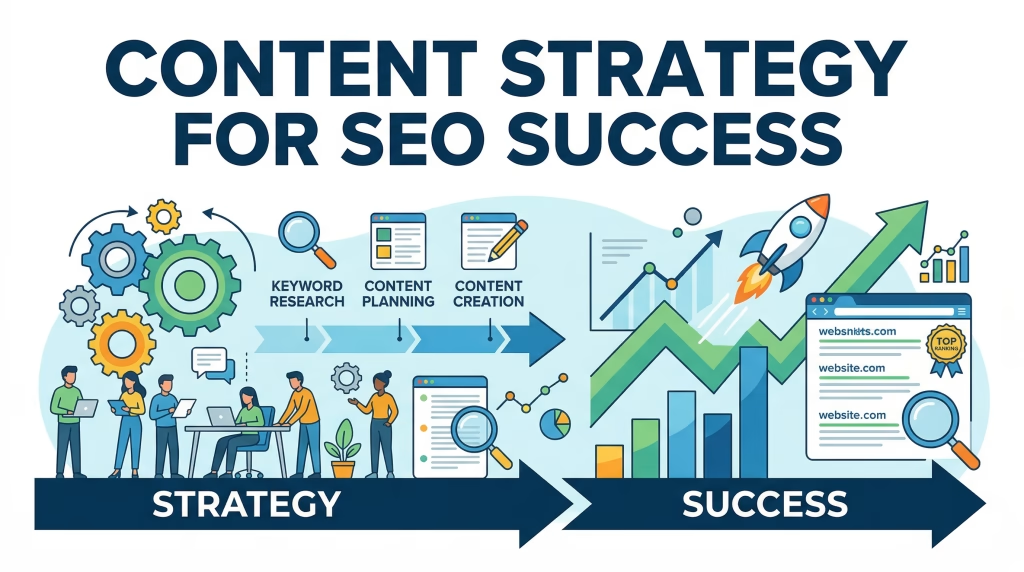
Content Strategy for SEO Success
A well-defined content strategy is the driving force behind successful WordPress SEO Services. While technical optimization and backlinks are important, it’s high-quality, targeted content that ultimately attracts users, answers their questions, and converts traffic into results.
A strong content strategy ensures that every piece of content you create serves a purpose whether it’s ranking for keywords, educating users, or guiding visitors through your website.
1. Keyword Research: The Foundation of Content Strategy
Effective content starts with thorough keyword research. This process helps you understand what your audience is searching for and how to align your content with their needs.
Key steps include:
- Identifying primary and secondary keywords
- Targeting long-tail keywords for easier ranking
- Analyzing competitor keywords
- Understanding search intent
By targeting the right keywords, your content becomes more relevant and discoverable.
2. Understanding Search Intent
Search intent determines why a user is searching for a specific query. Aligning your content with intent is critical for ranking success.
Types of search intent:
- Informational: Users want to learn something
- Navigational: Users are looking for a specific site
- Transactional: Users are ready to take action
Your content should match the user’s intent to improve engagement and rankings.
3. Creating High-Quality, Valuable Content
Search engines prioritize content that provides real value to users.
High-quality content should:
- Answer user questions clearly
- Provide actionable insights
- Be easy to read and engaging
- Include relevant examples and explanations
Content that solves problems and delivers value naturally ranks higher.
4. Content Optimization for SEO
Once content is created, it must be optimized for search engines.
Optimization techniques include:
- Using keywords naturally throughout the content
- Adding optimized headings and subheadings
- Writing compelling meta descriptions
- Including internal and external links
Proper optimization ensures your content is both user-friendly and search engine-friendly.
5. Building Topic Clusters and Pillar Content
Modern SEO focuses on topical authority rather than isolated keywords.
Topic cluster strategy:
- Create a comprehensive pillar article (like this one)
- Develop supporting articles targeting related topics
- Link all content together using internal linking
This structure helps search engines understand your expertise and improves overall rankings.
6. Content Updating and Refresh Strategy
SEO is not static, content must be regularly updated to remain relevant.
Update strategies include:
- Refresh outdated information
- Add new keywords and insights
- Improve readability and structure
- Optimize for new search trends
Regular updates signal to search engines that your content is current and valuable.
7. Content Length and Depth
Long-form content tends to perform better in search results because it covers topics more comprehensively.
Best practices:
- Provide in-depth explanations
- Cover multiple aspects of a topic
- Avoid unnecessary filler content
The goal is to deliver value, not just length.
8. Multimedia Integration for Engagement
Adding multimedia elements improves user engagement and SEO performance.
Examples include:
- Images and infographics
- Videos and tutorials
- Charts and tables
These elements make content more engaging and easier to understand.
9. Internal Linking for Content Strategy
Internal linking is essential for connecting your content and improving navigation.
Benefits:
- Helps search engines crawl your site
- Distributes link authority
- Guides users to related content
A strong internal linking strategy enhances both SEO and user experience.
10. Measuring Content Performance
To improve your content strategy, you need to track performance.
Key metrics include:
- Organic traffic
- Keyword rankings
- Bounce rate
- Time on page
Analyzing these metrics helps you refine your strategy and focus on what works.
Common Content Strategy Mistakes to Avoid
Avoid these common pitfalls:
- Targeting the wrong keywords
- Ignoring search intent
- Publishing low-quality content
- Not updating old content
- Overlooking internal linking
These mistakes can limit your SEO success.
Pro Tip: Focus on Value Over Volume
Publishing more content doesn’t guarantee better results. Focus on creating fewer, high-quality pieces that provide real value and align with user intent.
A strong Content Strategy for SEO Success is essential for maximizing the impact of WordPress SEO Services. By combining keyword research, high-quality content, and strategic optimization, you can build a website that ranks higher, attracts more traffic, and delivers lasting results.
Link Building and Authority Growth
Link building is one of the most powerful components of WordPress SEO Services. While on-page and technical SEO ensure your website is optimized internally, link building focuses on increasing your website’s authority, credibility, and trustworthiness in the eyes of search engines.
In simple terms, backlinks act as “votes of confidence” from other websites. The more high-quality backlinks you earn, the more likely your site is to rank higher in search results and attract consistent organic traffic.
1. What is Link Building? and Why It Matters?
Link building is the process of acquiring hyperlinks from other websites that point to your own.
Why it’s important:
- Signals trust and authority to search engines
- Improves search rankings
- Increases referral traffic
- Enhances brand visibility
Search engines like Google use backlinks as a key ranking factor. Websites with strong backlink profiles are often seen as more reliable and authoritative.
2. Types of Backlinks You Should Focus On
Not all backlinks are equal. The quality and relevance of links matter more than quantity.
High-Quality Backlinks
- From authoritative and trusted websites
- Relevant to your niche
- Naturally earned
Low-Quality Backlinks
- From spammy or unrelated sites
- Purchased or manipulated links
- Excessive directory links
Key takeaway: Focus on quality over quantity to avoid penalties and achieve sustainable growth.
3. Proven Link Building Strategies
A successful link-building strategy involves multiple approaches:
Guest Posting
Writing articles for other websites in your niche.
Benefits:
- Builds authority
- Earns high-quality backlinks
- Expands your audience
Content-Driven Link Building
Creating valuable content that naturally attracts links.
Examples:
- In-depth guides (pillar content)
- Case studies
- Infographics
High-quality content encourages other websites to reference and link to your pages.
Outreach and Relationship Building
Connecting with bloggers, influencers, and website owners.
Strategies:
- Personalized email outreach
- Collaboration opportunities
- Content partnerships
Building relationships increases your chances of earning backlinks.
Broken Link Building
Finding broken links on other websites and suggesting your content as a replacement.
Why it works:
- Helps website owners fix issues
- Provides you with a backlink
4. Internal Linking for Authority Distribution
While backlinks from external sites are important, internal linking also plays a crucial role in authority growth.
Benefits include:
- Distributes link equity across your site
- Improves crawlability
- Strengthens site structure
- Enhances user navigation
Best practices:
- Link to relevant pages naturally
- Use descriptive anchor text
- Prioritize important pages
A strong internal linking strategy complements external link building efforts.
5. Anchor Text Optimization
Anchor text is the clickable text in a hyperlink. Optimizing it correctly is essential for SEO.
Best practices:
- Use relevant and descriptive phrases
- Avoid over-optimization with exact-match keywords
- Maintain a natural mix of anchor types
Proper anchor text helps search engines understand the context of your links.
6. Building Authority Through Content and Consistency
Authority is not built overnight, it requires consistent effort.
Key factors include:
- Publishing high-quality content regularly
- Earning backlinks over time
- Maintaining a strong internal linking structure
- Engaging with your audience
Consistency builds trust with both users and search engines.
7. Monitoring and Analyzing Backlink Profiles
To maintain a healthy backlink profile, you need to monitor your links regularly.
Key actions:
- Track new and lost backlinks
- Analyze competitor backlinks
- Disavow toxic or spammy links
- Identify link-building opportunities
Regular analysis helps you refine your strategy and avoid penalties.
8. Avoiding Black Hat SEO Practices
Unethical link-building practices can harm your website’s rankings.
Avoid:
- Buying backlinks
- Using link farms
- Spamming comments or forums
- Excessive link exchanges
Search engines penalize these practices, leading to ranking drops or removal from search results.
9. The Role of Domain Authority and Trust Signals
Domain authority reflects your website’s overall strength and credibility.
Factors influencing authority:
- Quality backlinks
- Content relevance
- Website performance
- User engagement
Improving authority helps your site rank more easily for competitive keywords.
10. Long-Term Link Building Strategy
Successful link building is a long-term investment.
Focus on:
- Building relationships
- Creating valuable content
- Earning links naturally
- Maintaining consistency
Over time, these efforts lead to sustainable growth and stronger search rankings.
Common Link Building Mistakes to Avoid
- Focusing on quantity instead of quality
- Ignoring relevance
- Using repetitive anchor text
- Neglecting internal linking
- Not monitoring backlinks
Avoiding these mistakes ensures a strong and effective strategy.
Pro Tip: Think Like a Brand, Not Just a Website
The most successful websites earn backlinks because they are seen as authoritative brands. Focus on building trust, delivering value, and creating content worth linking to.
Link Building and Authority Growth are essential for maximizing the impact of WordPress SEO Services. By earning high-quality backlinks, optimizing internal links, and maintaining a consistent strategy, you can build a strong online presence that ranks higher, attracts more traffic, and delivers long-term success.
Technical Audits and Monitoring
Technical audits and continuous monitoring are essential components of effective WordPress SEO Services. While optimization improves your website’s performance, audits ensure everything is working correctly, and monitoring helps maintain that performance over time.
SEO is not a one-time task, it’s an ongoing process. Without regular audits, hidden issues can accumulate, leading to drops in search rankings, reduced organic traffic, and poor user experience.
1. What is a Technical SEO Audit?
A technical SEO audit is a comprehensive analysis of your website’s backend performance, structure, and accessibility. It identifies issues that may prevent search engines from properly crawling, indexing, and ranking your content.
Key areas analyzed include:
- Crawlability issues
- Indexing problems
- Site architecture
- Page speed and performance
- Mobile responsiveness
A thorough audit provides a clear roadmap for improving your website’s SEO health.
2. Identifying Crawlability Issues
Crawlability determines whether search engines can access your website’s pages.
Common crawlability issues:
- Broken links (404 errors)
- Incorrect robots.txt settings
- Blocked important pages
- Poor internal linking
Solutions:
- Fix broken links and redirects
- Ensure important pages are accessible
- Improve internal linking structure
If search engines can’t crawl your pages, they can’t rank them.
3. Resolving Indexing Problems
Indexing refers to how search engines store and display your pages in search results.
Common indexing issues:
- Pages not indexed
- Duplicate content
- Incorrect canonical tags
- Thin or low-quality content
Fixes include:
- Submitting XML sitemaps
- Using proper canonical tags
- Removing duplicate pages
- Improving content quality
Proper indexing ensures your content appears in search results.
4. Evaluating Site Architecture
A well-organized site structure improves both user experience and SEO.
Best practices:
- Use a clear hierarchy (Homepage → Categories → Pages)
- Keep important pages within a few clicks
- Organize content into logical categories
- Use consistent navigation menus
Strong site architecture enhances crawl efficiency and usability.
5. Analyzing Page Speed and Core Web Vitals
Website speed is a critical ranking factor.
Key metrics to evaluate:
- Page load time
- Server response time
- Core Web Vitals (LCP, FID, CLS)
Optimization steps:
- Compress images
- Enable caching
- Minimize scripts
- Use a CDN
Faster websites improve both rankings and user satisfaction.
6. Mobile Usability and Responsiveness Checks
With mobile-first indexing, your site must perform well on all devices.
Audit checklist:
- Responsive design
- Mobile page speed
- Easy navigation
- Readable content
A mobile-friendly site ensures better engagement and higher rankings.
7. Reviewing Plugin Configuration and Performance
Plugins are essential for WordPress, but poor configuration can harm performance.
Audit steps:
- Remove unused plugins
- Update all plugins regularly
- Check for conflicts
- Optimize SEO plugin settings
Efficient plugin management improves both performance and security.
8. Monitoring Backlink Profile and Authority
Backlinks are a major ranking factor, and monitoring them is crucial.
Key actions:
- Track new and lost backlinks
- Identify toxic links
- Analyze competitor backlinks
- Maintain link quality
Regular monitoring ensures your backlink profile remains strong and healthy.
9. Continuous SEO Monitoring and Reporting
SEO monitoring involves tracking your website’s performance over time.
Key metrics to monitor:
- Keyword rankings
- Organic traffic
- Bounce rate
- Conversion rates
Using analytics tools, you can identify trends, measure success, and adjust your strategy accordingly.
10. Scheduling Regular SEO Audits
Technical audits should be performed regularly to maintain optimal performance.
Recommended frequency:
- Monthly for large websites
- Quarterly for smaller sites
Regular audits help you stay ahead of issues and maintain strong SEO performance.
Common Mistakes in Technical Audits
Avoid these common errors:
- Ignoring minor technical issues
- Not updating plugins and themes
- Overlooking mobile optimization
- Failing to monitor performance
- Neglecting regular audits
Small issues can quickly grow into major problems if left unresolved.
Pro Tip: Use Data to Drive Decisions
Technical audits provide valuable data, use it to make informed decisions. Focus on fixing high-impact issues first to achieve faster results.
Technical Audits and Monitoring are essential for sustaining the success of WordPress SEO Services. By regularly analyzing your website, fixing issues, and tracking performance, you ensure your site remains optimized, competitive, and ready to rank higher in search results.
Common Mistakes to Avoid
Even with the best intentions, many website owners unknowingly make mistakes that limit the effectiveness of their WordPress SEO Services. These errors can negatively impact search rankings, reduce organic traffic, and prevent your website from reaching its full potential.
Understanding and avoiding these common pitfalls is essential for building a strong, sustainable SEO strategy.
1. Ignoring Technical SEO Foundations
One of the most critical mistakes is focusing only on content while neglecting technical SEO.
Common issues include:
- Unresolved crawlability issues
- Poor site architecture
- Broken links and redirect errors
- Missing or incorrect XML sitemaps
Why it matters:
If search engines cannot properly crawl and index your site, your content will not rank, no matter how good it is.
2. Poor Keyword Research and Targeting
Targeting the wrong keywords can result in low traffic and poor engagement.
Common mistakes:
- Choosing overly competitive keywords
- Ignoring long-tail keywords
- Not understanding search intent
- Keyword stuffing
Solution:
Focus on relevant keywords that match user intent and offer realistic ranking opportunities.
3. Weak or Missing Content Optimization
Publishing content without proper optimization is a missed opportunity.
Mistakes include:
- Not using keywords in headings and content
- Writing thin or low-value content
- Ignoring readability and structure
- Not updating outdated content
Content should always be optimized for both users and search engines.
4. Neglecting Internal Linking
Internal linking is often overlooked, yet it plays a crucial role in SEO.
Common errors:
- Not linking related pages
- Using generic anchor text
- Overloading pages with links
- Poor navigation structure
A strong internal linking strategy improves crawlability and distributes authority across your site.
5. Slow Page Speed and Poor Performance
Website performance directly affects both user experience and SEO.
Common issues:
- Unoptimized images
- Excessive plugins
- Heavy themes
- Lack of caching
Impact:
- Higher bounce rates
- Lower rankings
- Poor Core Web Vitals
Optimizing performance is essential for maintaining competitiveness.
6. Ignoring Mobile Optimization
With mobile-first indexing, failing to optimize for mobile can significantly harm your rankings.
Mistakes include:
- Non-responsive design
- Slow mobile loading speed
- Difficult navigation on small screens
A mobile-friendly website is no longer optional, it’s a requirement.
7. Over-Reliance on SEO Plugins
While plugins are helpful, relying on them alone is a major mistake.
Problems include:
- Assuming plugins handle all SEO tasks
- Ignoring strategy and planning
- Misconfiguring plugin settings
Key takeaway:
Plugins assist, but they cannot replace a well-defined SEO strategy.
8. Poor Backlink Practices
Backlinks are important, but using the wrong approach can harm your site.
Common mistakes:
- Buying low-quality backlinks
- Using spammy link-building techniques
- Ignoring link relevance
- Not monitoring backlink profiles
Focus on earning high-quality, natural backlinks to build authority.
9. Duplicate Content Issues
Duplicate content can confuse search engines and dilute ranking signals.
Causes include:
- Multiple URLs for the same content
- Improper use of categories and tags
- Lack of canonical tags
Fixing duplicate content ensures search engines understand which pages to rank.
10. Not Monitoring SEO Performance
SEO requires continuous tracking and improvement.
Common mistakes:
- Not tracking keyword rankings
- Ignoring analytics data
- Failing to perform regular audits
- Not adapting to algorithm updates
Without monitoring, you won’t know what’s working or what needs improvement.
11. Poor URL and Permalink Structure
Messy URLs can hurt both SEO and user experience.
Mistakes include:
- Using long, complex URLs
- Including unnecessary parameters
- Not using keywords in URLs
Clean, descriptive permalinks improve readability and rankings.
12. Ignoring User Experience (UX)
SEO is not just about search engines, it’s about users.
UX-related mistakes:
- Cluttered layouts
- Difficult navigation
- Slow loading pages
- Lack of clear calls-to-action
A poor user experience leads to higher bounce rates and lower rankings.
13. Inconsistent Content Publishing
Consistency is key to building authority and maintaining rankings.
Mistakes include:
- Publishing irregularly
- Not updating old content
- Lack of content strategy
Regular publishing signals to search engines that your site is active and relevant.
Pro Tip: Fix High-Impact Issues First
Not all SEO mistakes have the same impact. Focus on fixing critical issues such as technical SEO, page speed, and content quality first to achieve faster results.
Avoiding these Common Mistakes is essential for maximizing the effectiveness of your WordPress SEO Services. By addressing these issues and maintaining a balanced, strategic approach, you can build a website that ranks higher, performs better, and delivers long-term success.
FAQs
Conclusion
WordPress SEO Services are essential for building a strong online presence. From on-page optimization and technical audits to content strategy and backlink building, every aspect plays a role in improving search rankings and driving organic traffic.
By implementing these strategies, you can create a high-performing website that ranks well and delivers real results.