A wordpress website builder is a powerful tool within the WordPress ecosystem that allows users to create, design, and manage websites without needing advanced coding skills. It transforms the traditional web development process into a visual and user-friendly experience by using intuitive features such as drag and drop editors, pre-designed templates, and customizable elements.
Instead of writing complex HTML, CSS, or JavaScript, users can build entire pages by simply selecting components like text blocks, images, buttons, and forms and placing them exactly where they want on the page. This makes website creation faster, more accessible, and highly flexible for users of all skill levels.
How a WordPress Website Builder Works?
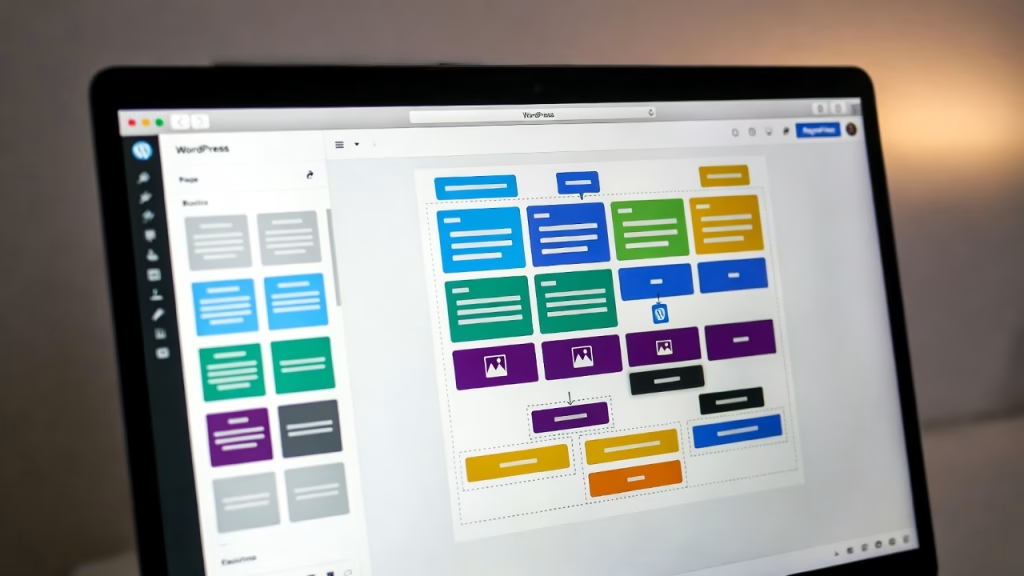
A wordpress website builder operates on top of the WordPress core system, enhancing its default capabilities. It typically integrates with:
- Themes – Control the overall design and layout
- Plugins – Add advanced functionality
- Page builder tools – Enable visual editing
Using these components, the builder allows you to:
- Customize layouts in real time
- Edit content visually without refreshing pages
- Use pre-built templates for faster design
- Add advanced features through widgets and shortcodes
The result is a seamless design process where you can instantly see changes as you make them.
Key Components of a WordPress Website Builder
To fully understand how it works, it’s important to look at its core building blocks:
Drag and Drop Interface
This is the heart of any modern builder. You can move elements around the page effortlessly, making wordpress web design simple and interactive.
Page Builder System
A page builder (like visual editors or the Gutenberg editor) allows you to create structured layouts using blocks or sections.
Themes and Templates
Themes provide the overall style, while templates offer ready-made page designs that you can customize instantly.
Plugins and Extensions
Plugins expand your website’s functionality, enabling features like SEO optimization, ecommerce, and security enhancements.
Media Library
The built-in media library helps you manage images, videos, and files efficiently, making content creation smoother.
Benefits of Using a WordPress Website Builder
Using a wordpress website builder comes with several powerful advantages:
- Beginner-Friendly: No coding knowledge required
- Time-Saving: Pre-built templates speed up development
- Highly Customizable: Full control over layout and design
- Responsive Design: Automatically adapts to mobile devices
- SEO Optimization: Built-in tools help improve search rankings
These benefits make it an ideal solution for bloggers, businesses, freelancers, and developers alike.
Who Should Use a WordPress Website Builder?
A wordpress website builder is designed to serve a wide range of users from complete beginners to experienced developers. Its flexibility, ease of use, and powerful customization capabilities make it one of the most versatile tools in modern website creation.
Whether you’re building a personal blog, a business website, or a full-scale ecommerce store, a wordpress website builder can adapt to your needs and skill level.
Beginners with No Coding Experience
If you’re new to website creation, a wordpress website builder is the perfect starting point. Thanks to drag and drop functionality and ready-made templates, you can create a professional-looking website without writing a single line of code.
Why it works for beginners:
- Simple and intuitive interface
- No technical knowledge required
- Pre-designed themes and templates
- Step-by-step customization
This allows beginners to focus on content and design rather than technical complexities.
Small Business Owners and Entrepreneurs
For small businesses, having a strong online presence is essential. A wordpress website builder enables business owners to create and manage their websites without relying heavily on developers.
Key benefits:
- Cost-effective website development
- Easy updates for products and services
- Built-in SEO optimization tools
- Integration with ecommerce features
From local shops to startups, business owners can quickly launch and scale their websites.
Freelancers and Web Designers
Freelancers and designers can use a wordpress website builder to streamline their workflow and deliver projects faster. With advanced customization options, they can create unique and professional designs for clients.
Advantages for professionals:
- Faster project turnaround
- Reusable templates and design systems
- Advanced styling and layout control
- Ability to manage multiple client websites
This makes WordPress an efficient tool for building and maintaining client portfolios.
Bloggers and Content Creators
Content creators benefit greatly from the flexibility of a wordpress website builder. It allows them to focus on publishing content while maintaining a visually appealing website.
Why it’s ideal:
- Easy content management through the media library
- SEO-friendly structure for better visibility
- Customizable layouts for blog posts
- Integration with social sharing tools
Bloggers can create engaging and responsive websites that attract and retain readers.
Ecommerce Store Owners
If you’re planning to sell products or services online, a wordpress website builder can help you build a fully functional ecommerce store.
Key features include:
- Product management systems
- Secure payment integrations
- Inventory tracking
- Custom checkout experiences
With the right plugins, you can turn your website into a powerful online store.
Developers and Advanced Users
Even experienced developers use a wordpress website builder to speed up development and reduce repetitive tasks. It provides a strong foundation while still allowing deep customization.
Benefits for developers:
- Ability to use custom post types and child themes
- Integration with advanced plugins and APIs
- Flexibility to modify code when needed
- Faster prototyping and deployment
This balance between simplicity and control makes WordPress suitable for both quick builds and complex projects.
Agencies and Digital Marketers
Agencies and marketers use wordpress website builders to create optimized websites for clients, focusing on performance, SEO, and conversion rates.
Why it’s valuable:
- Built-in SEO optimization tools
- Easy landing page creation
- Performance optimization features
- Integration with analytics and marketing tools
This helps agencies deliver measurable results and scalable solutions.
Choosing the Right Builder for Your Needs
Not all users need the same level of functionality. When selecting a wordpress website builder, consider:
- Your technical skill level
- The type of website you want to build
- Required features (ecommerce, SEO, customization)
- Performance and scalability needs
Matching the builder to your goals ensures a smoother and more efficient website creation process.
— Tip: Start Simple, Then Scale —
One of the biggest advantages of a wordpress website builder is its scalability. You can start with a simple setup and gradually add features like plugins, advanced customization, and performance optimization as your website grows.
WordPress Website Builder vs Traditional Web Development
| Feature | WordPress Website Builder | Traditional Development |
|---|---|---|
| Ease of Use | Very Easy | Complex |
| Speed | Fast | Time-consuming |
| Coding Required | No | Yes |
| Customization | High | Very High |
| Cost | Affordable | Expensive |
This comparison shows why the wordpress website builder has become the go-to solution for modern website creation.
— Pro Tip: Combine Simplicity with Performance —
While builders make design easy, it’s important to balance flexibility with performance optimization. Avoid overloading your site with too many plugins or heavy elements to maintain fast loading speeds and strong Core Web Vitals.

Why It’s Popular for Beginners and Professionals?
The wordpress website builder has gained massive popularity because it successfully bridges the gap between simplicity and advanced functionality. Unlike many website creation tools that cater only to beginners or only to developers, WordPress offers a balanced ecosystem that works for both.
Whether you’re launching your first website or managing complex web projects, the wordpress website builder provides the flexibility, scalability, and performance needed to succeed.
Ease of Use for Beginners
One of the main reasons beginners choose a wordpress website builder is its user-friendly interface. With features like drag and drop editing, pre-built templates, and intuitive navigation, users can create professional websites without technical knowledge.
Key advantages for beginners:
- No coding required
- Quick setup and installation
- Access to ready-made themes and templates
- Visual editing with real-time previews
This simplicity allows users to focus on content creation and design rather than struggling with complex development processes.
Advanced Customization for Professionals
While it’s beginner-friendly, the wordpress website builder also offers powerful tools for advanced users. Developers and designers can go beyond basic layouts and create highly customized websites.
Professional-level features include:
- Full access to CSS and custom code
- Support for custom post types and shortcodes
- Advanced plugin integrations
- Creation of child themes for safe modifications
This level of control ensures that professionals can build unique, scalable, and high-performance websites.
Massive Ecosystem of Themes and Plugins
Another reason for its popularity is the vast library of themes and plugins available in WordPress. These tools allow users to extend functionality and customize design effortlessly.
Benefits include:
- Thousands of free and premium themes
- Plugins for SEO optimization, security, and performance
- Easy installation and updates
- Flexibility to add new features anytime
This ecosystem ensures that users can adapt their websites to changing needs without rebuilding from scratch.
Built-In SEO Optimization Capabilities
The wordpress website builder is widely known for its strong SEO capabilities. With the help of plugins and clean code structure, users can optimize their websites for search engines effectively.
SEO benefits include:
- Customizable meta tags and URLs
- Integration with SEO plugins
- Fast-loading pages for better rankings
- Support for Core Web Vitals optimization
This makes WordPress a preferred choice for bloggers, businesses, and marketers aiming to improve visibility online.
Scalability for Growing Websites
Scalability is another major factor behind its popularity. A wordpress website builder can support everything from small personal blogs to large ecommerce platforms.
Scalability features include:
- Flexible hosting options
- Ability to handle increasing traffic
- Easy addition of new pages and features
- Integration with advanced tools and APIs
This means users don’t need to switch platforms as their website grows.
Cost-Effective Solution
Compared to custom web development, using a wordpress website builder is highly cost-effective. Many themes, plugins, and tools are available for free or at a low cost.
Cost advantages:
- Reduced development expenses
- Affordable premium tools
- No need for full-time developers
- Lower maintenance costs
This makes it accessible to individuals, startups, and businesses of all sizes.
Strong Community and Support System
WordPress has one of the largest communities in the world. This provides users with access to tutorials, forums, and expert advice.
Support benefits include:
- Extensive documentation
- Active user forums
- Regular updates and improvements
- Third-party support services
This strong community ensures that help is always available when needed.
Balance Between Simplicity and Power
What truly sets the wordpress website builder apart is its ability to offer both simplicity and advanced capabilities in one platform.
- Beginners can build websites quickly with minimal effort
- Professionals can customize every aspect of design and functionality
This dual advantage makes WordPress a universal solution for website creation.
— Pro Tip: Leverage Both Simplicity and Advanced Features —
To get the most out of a wordpress website builder, start with basic tools like templates and drag-and-drop editors, then gradually explore advanced features such as plugins, custom post types, and performance optimization.
Core Features of WordPress Website Builder
Drag and Drop Functionality
One of the most attractive features is the drag and drop interface. This allows users to visually design pages by simply moving elements around.
Benefits:
- No coding required
- Real-time editing
- Faster website creation
Themes and Templates
Themes and templates define the overall look of your website. WordPress offers thousands of free and premium options.
Advantages:
- Ready-made designs
- Easy customization
- Responsive layouts
Plugins and Extensions
Plugins extend functionality and allow you to add features like SEO tools, security, and ecommerce.
Popular uses:
- SEO optimization
- Contact forms
- Performance optimization
Types of Page Builders in WordPress
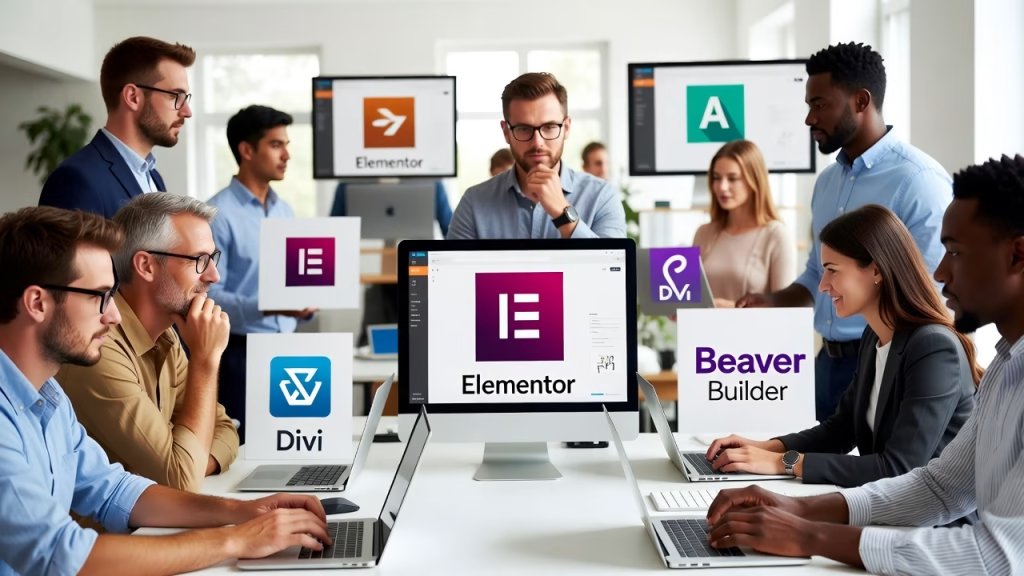
There are two main types of page builders used in a wordpress website builder:
Block-Based Editors (Gutenberg Editor)
The Gutenberg editor uses a block system where each piece of content is a block. It is lightweight and integrated into WordPress core.
Best for:
- Simple layouts
- Content-focused websites
Visual Drag-and-Drop Builders
These are advanced tools that offer more design flexibility and visual control.
Best for:
- Complex layouts
- Custom designs
- Professional websites
Benefits of Using a Page Builder
Using a page builder offers several advantages:
- No Coding Required: Ideal for beginners
- Faster Development: Build pages quickly with templates
- High Customization: Design unique layouts
- Responsive Design: Optimize for mobile devices
- Improved Workflow: Real-time editing saves time
These benefits make page builders an essential part of modern wordpress web design.
Page Builder vs Default WordPress Editor
| Feature | Page Builder | Default Editor |
|---|---|---|
| Ease of Use | Very Easy | Moderate |
| Design Flexibility | High | Limited |
| Real-Time Editing | Yes | Partial |
| Custom Layouts | Advanced | Basic |
This comparison shows why many users prefer page builders for advanced design needs.
Impact on Performance and SEO
While page builders provide flexibility, they can also impact performance if not used properly. Heavy designs or too many elements may slow down your site.
To maintain strong SEO optimization and performance:
- Use lightweight themes
- Avoid unnecessary widgets
- Optimize images and media
- Enable caching and performance optimization
A well-optimized page builder setup can improve both user experience and search rankings.
— Pro Tip: Choose the Right Balance —
The key to using a page builder effectively is balance. Combine design flexibility with performance optimization to create fast, responsive, and visually appealing websites.
Gutenberg Editor vs Visual Builders
The Gutenberg editor is WordPress’s default block editor, while visual builders offer more design flexibility.
Comparison:
| Feature | Gutenberg Editor | Visual Page Builder |
|---|---|---|
| Ease of Use | Medium | Easy |
| Flexibility | Moderate | High |
| Customization | Limited | Extensive |
Customization and Design Flexibility
Customization Options
Customization is where WordPress shines. You can adjust layouts, colors, fonts, and more.
Options include:
- Theme customization
- CSS editing
- Plugin-based enhancements
Widgets, Shortcodes, and Navigation Menus
These tools help enhance functionality and usability.
- Widgets: Add content blocks
- Shortcodes: Insert dynamic features
- Navigation menus: Improve site structure
Building a Responsive Website
Importance of Responsive Design
Responsive design ensures your website looks great on all devices.
Benefits:
- Better user experience
- Higher SEO rankings
- Increased engagement
Mobile Optimization Tips
- Use responsive themes
- Optimize images
- Test across devices
SEO Optimization with WordPress Website Builder
Built-in SEO Features
WordPress offers strong SEO tools through plugins and settings.
Features include:
- Meta tags
- XML sitemaps
- SEO-friendly URLs
Core Web Vitals and Performance Optimization
Improving Core Web Vitals helps boost rankings.
Focus on:
- Fast loading speed
- Stable layout
- Quick interaction
Integrating Ecommerce Features
Setting Up Online Stores
WordPress supports ecommerce through plugins.
Features:
- Product listings
- Shopping carts
- Checkout systems
Payment and Product Management
You can manage:
- Payments
- Inventory
- Orders
Hosting and Performance Considerations
When building a website with a wordpress website builder, your design and features are only as strong as the foundation they run on. That foundation is your hosting and performance setup. Even the most visually stunning website can fail if it loads slowly, crashes under traffic, or delivers a poor user experience.
To ensure your site performs at its best, you need to carefully evaluate hosting quality, speed optimization, and overall performance strategies.
Choosing the Right Hosting for WordPress Website Builder
Your hosting provider plays a critical role in how your website performs. It affects everything from loading speed to uptime, security, and scalability.
Key factors to consider when choosing hosting:
- Server Performance: Fast servers reduce load times and improve user experience
- Uptime Guarantee: Look for at least 99.9% uptime to keep your site accessible
- Bandwidth and Resources: Ensure your hosting can handle your traffic
- Scalability Options: Ability to upgrade as your website grows
- Security Features: SSL certificates, firewalls, and malware protection
There are different hosting types available:
- Shared Hosting: Budget-friendly but limited performance
- VPS Hosting: Better speed and control
- Managed Hosting: Optimized specifically for WordPress with minimal effort
Choosing the right hosting ensures your wordpress website builder operates smoothly and efficiently.
Why Performance Matters in WordPress Website Design
Website performance directly impacts:
- User experience
- Search engine rankings
- Conversion rates
A slow-loading website can lead to higher bounce rates and lost visitors. Google also considers speed as a ranking factor, making performance essential for SEO optimization.
Key performance metrics include:
- Page load time
- Server response time
- Core Web Vitals (LCP, FID, CLS)
Optimizing these metrics ensures your website remains competitive in search results.
Essential Performance Optimization Techniques
To get the best results from your wordpress website builder, implement these performance strategies:
Use Lightweight Themes and Page Builders
Heavy themes and complex layouts can slow down your site. Choose optimized themes designed for speed.
Optimize Images and Media
Large images can significantly increase load times.
Best practices:
- Compress images
- Use modern formats (WebP)
- Enable lazy loading
Enable Caching
Caching stores static versions of your pages, reducing server load and improving speed.
Types of caching:
- Browser caching
- Page caching
- Object caching
Use CDN Integration
A Content Delivery Network (CDN) distributes your website across multiple global servers, reducing latency and improving load times for users worldwide.
Minimize Plugins
While plugins add functionality, too many can slow down your site. Use only essential plugins and keep them updated.
Database and Backend Optimization
Your website’s backend performance is just as important as its front-end design.
Optimization tips:
- Clean up your database regularly
- Remove unused themes and plugins
- Optimize queries and scripts
- Use updated PHP versions
A well-maintained backend ensures faster processing and smoother performance.
Mobile Performance and Responsive Design
With most users accessing websites on mobile devices, optimizing for mobile performance is essential.
Key considerations:
- Use responsive design
- Optimize mobile page speed
- Reduce unnecessary scripts
- Test across different devices
A fast and responsive mobile experience improves both user satisfaction and SEO rankings.
Monitoring and Improving Performance
Performance optimization is not a one-time task, it requires continuous monitoring.
Tools and methods include:
- Speed testing tools (like Google PageSpeed Insights)
- Hosting performance dashboards
- Analytics for tracking user behavior
Regular monitoring helps identify issues early and maintain optimal performance.
Balancing Design and Performance
One common mistake is prioritizing design over speed. While page builders allow beautiful layouts, overusing animations, widgets, and heavy elements can slow your site.
Best approach:
- Keep designs clean and efficient
- Use only necessary features
- Focus on user experience
This balance ensures your wordpress website builder delivers both visual appeal and high performance.
— Pro Tip: Performance is a Competitive Advantage —
A fast, optimized website doesn’t just improve user experience, it gives you a competitive edge. Websites that load quickly and perform well are more likely to rank higher, retain visitors, and convert users into customers.
Security Features and Best Practices
When using a wordpress website builder, security is a critical factor that directly impacts your website’s performance, reputation, and user trust. A vulnerable website can lead to data breaches, malware infections, loss of traffic, and even search engine penalties.
That’s why implementing strong security features and best practices is essential to protect your website from potential threats while ensuring smooth and reliable operation.
Essential Security Features in WordPress Website Builder
A secure wordpress website builder environment includes multiple layers of protection that work together to safeguard your website.
SSL Certificates for Data Encryption
SSL (Secure Sockets Layer) certificates encrypt data transferred between your website and its users.
Benefits include:
- Secure user data (logins, payments)
- Improved SEO rankings
- Increased user trust (HTTPS indicator)
Most hosting providers offer free SSL certificates, making it a must-have feature.
Firewalls and Malware Scanning
Firewalls act as a barrier that blocks malicious traffic, while malware scanning detects harmful files and code.
Key protections:
- Web Application Firewalls (WAF)
- Real-time threat detection
- Automatic malware removal
These features help prevent attacks before they affect your site.
Regular Updates and Patch Management
Keeping your WordPress core, themes, and plugins updated is one of the simplest yet most effective security practices.
Why updates matter:
- Fix known vulnerabilities
- Improve performance
- Ensure compatibility
Outdated software is one of the most common entry points for hackers.
Secure User Roles and Permissions
WordPress allows you to assign different user roles such as Admin, Editor, and Subscriber.
Best practices:
- Grant minimum required access
- Avoid multiple admin accounts
- Monitor user activity
Proper role management reduces the risk of unauthorized changes.
Automatic Backups and Recovery Systems
Backups are your safety net in case of security breaches or technical failures.
Recommended features:
- Daily or real-time backups
- One-click restore options
- Offsite backup storage
This ensures you can quickly recover your website with minimal downtime.
Best Practices to Strengthen Website Security
Beyond built-in features, following best practices is essential for maintaining a secure website.
Use Strong Passwords and Two-Factor Authentication (2FA)
Weak passwords are one of the biggest security risks.
Tips:
- Use complex, unique passwords
- Enable two-factor authentication
- Avoid sharing login credentials
Limit Login Attempts
Brute force attacks attempt to guess login credentials repeatedly.
Solution:
- Limit login attempts
- Use CAPTCHA verification
- Monitor failed login attempts
Install Trusted Security Plugins
Security plugins add an extra layer of protection.
They help with:
- Firewall protection
- Malware scanning
- Login security
- Activity monitoring
Choose reputable plugins to avoid conflicts or vulnerabilities.
Disable Unused Features and Plugins
Unused plugins and themes can become security risks.
Best practice:
- Remove inactive plugins
- Delete unused themes
- Keep only essential tools
Secure Your Hosting Environment
Your hosting provider plays a major role in your website’s security.
Look for:
- Secure server infrastructure
- Regular security monitoring
- DDoS protection
- Isolation between accounts
A strong hosting foundation enhances your wordpress website builder security.
How Security Impacts SEO and Performance
Security is closely tied to both performance and SEO.
A compromised website can lead to:
- Search engine penalties
- Loss of rankings
- Warning messages in browsers
- Reduced user trust
On the other hand, a secure website ensures:
- Stable uptime
- Faster performance
- Better user experience
- Improved SEO optimization
Common Security Mistakes to Avoid
Avoid these common errors:
- Using outdated plugins and themes
- Ignoring regular backups
- Installing untrusted plugins
- Using weak passwords
- Not monitoring website activity
Even small mistakes can lead to serious vulnerabilities.
— Pro Tip: Adopt a Layered Security Approach —
The most effective way to secure your website is by combining multiple layers of protection:
- Hosting-level security
- Application-level protection
- User-level best practices
This layered approach ensures your wordpress website builder remains secure from all angles.
Security is an Ongoing Process
Website security is not a one-time setup, it requires continuous monitoring, updates, and improvements. Staying proactive helps you prevent issues before they occur and keeps your website running smoothly.
Advanced Features for Developers
Custom Post Types and Child Themes
Advanced users can create:
- Custom post types
- Child themes for safe edits
Media Library and Content Management
The media library helps manage images, videos, and files efficiently.
Common Mistakes to Avoid
- Using too many plugins
- Ignoring performance optimization
- Choosing poor-quality themes
- Neglecting security
The wordpress website builder is one of the most powerful tools for creating modern, responsive, and SEO-optimized websites. With features like drag and drop editing, themes, plugins, and ecommerce integration, it provides everything you need to build a professional site.
Whether you’re a beginner or an expert, WordPress offers unmatched flexibility and scalability for your online presence.