

WordPress hosting is a type of web hosting specifically optimized to run WordPress websites efficiently. It includes server configurations, performance tweaks, and security features tailored for WordPress.
Unlike general hosting, it supports:
- Optimized PHP versions
- Faster MySQL database performance
- Built-in caching systems
- Enhanced security layers
In simple terms, it’s like renting a home designed specifically for WordPress instead of a generic space.
Why Specialized Hosting Matters?
Not all hosting environments are equal. A poorly optimized server can slow your website, hurt SEO rankings, and frustrate users.
Specialized wordpress hosting ensures:
- Faster loading times
- Better uptime guarantee
- Improved Google Core Web Vitals
- Enhanced security
Learn more about performance standards from Google Core Web Vitals
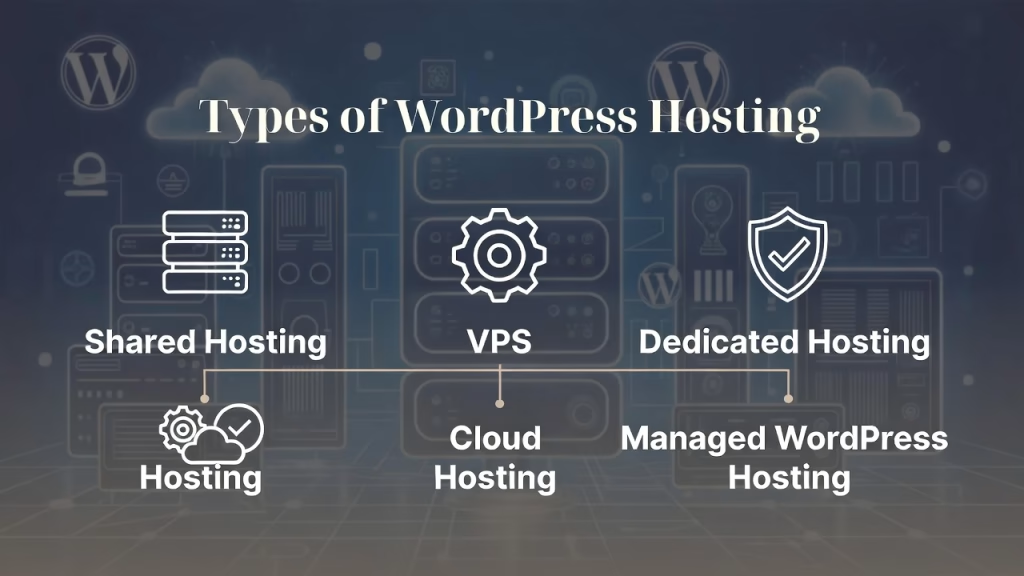
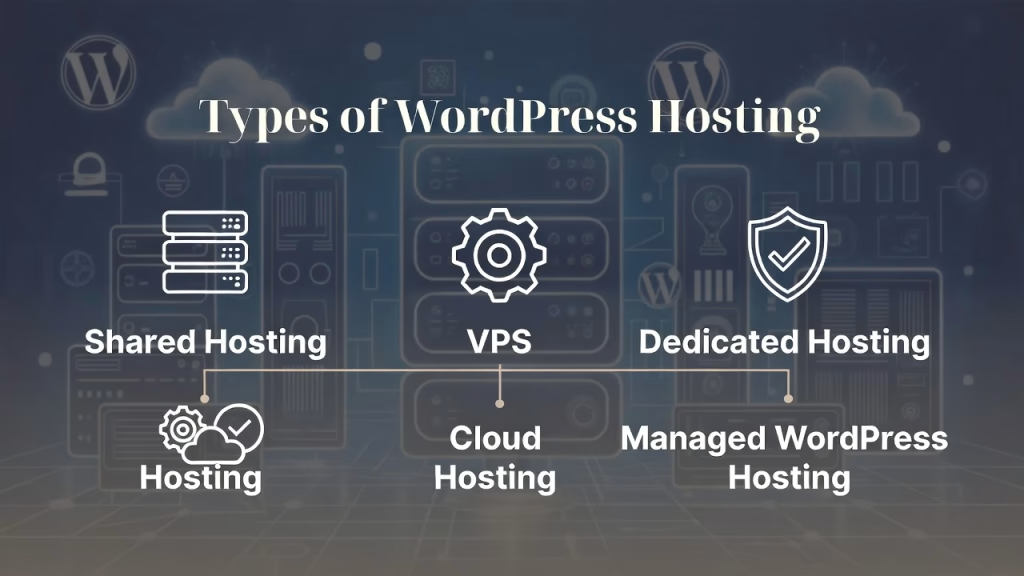
Types of WordPress Hosting · Shared Server, VPS Solutions, Dedicated Resources, and Managed Services
Choosing the right wordpress hosting type is one of the most important decisions you’ll make for your website. Each hosting option offers different levels of performance, control, scalability, and cost. Understanding these differences helps you select the best solution based on your needs, traffic, and technical skills.
In this section, we’ll break down the four main types of hosting: shared server hosting, VPS solutions, dedicated resources hosting, and managed services hosting.
Shared Server Hosting · Affordable and Beginner-Friendly
Shared server hosting is the most basic and budget-friendly option available. In this setup, multiple websites share the same server resources, including CPU, memory, and bandwidth allocation.
This type of hosting is ideal for:
- Beginners launching their first website
- Small blogs or personal projects
- Websites with low traffic
Advantages:
- Very low cost
- Easy to set up with a simple control panel
- Often includes one-click WordPress installation
Limitations:
- Slower server response time during high traffic
- Limited scalability options
- Shared environment can impact performance
While shared hosting is a great starting point, it may not be suitable for websites aiming for strong core web vitals optimization or rapid growth.
VPS Solutions · Balanced Performance and Control
VPS (Virtual Private Server) solutions provide a middle ground between shared hosting and dedicated resources. Although you still share a physical server, your website gets a dedicated portion of resources.
This means better:
- Performance stability
- Customization
- Security
Best suited for:
- Growing businesses
- Medium-traffic websites
- Developers needing flexibility
Key benefits:
- Improved server response time
- Scalable resources as traffic increases
- Greater control over PHP versions and server settings
Drawbacks:
- Requires some technical knowledge
- Higher cost than shared hosting
VPS solutions are ideal if you want better performance without the high cost of a fully dedicated server.
Dedicated Resources Hosting · Maximum Power and Performance
Dedicated hosting gives you an entire server exclusively for your website. This means you don’t share resources with anyone else, resulting in top-tier performance and reliability.
This hosting type is perfect for:
- High-traffic websites
- Large eCommerce platforms
- Enterprise-level businesses
Advantages:
- Full control over server configuration
- Fastest server response time
- Enhanced security and customization
Challenges:
- Expensive compared to other options
- Requires advanced technical expertise
With dedicated resources, you can fully optimize your environment for Google Core Web Vitals, ensuring blazing-fast speeds and seamless performance.
Managed Services Hosting: Hassle-Free and Optimized
Managed WordPress hosting is designed for users who want a hands-off experience. The hosting provider takes care of all technical aspects, allowing you to focus on content and growth.
Typical features include:
- Automatic backups
- Built-in caching plugins
- CDN integration
- Malware scanning and security monitoring
- Automatic WordPress updates
Ideal for:
- Business owners
- Non-technical users
- Agencies managing multiple sites
Benefits:
- Optimized performance out of the box
- Strong security with SSL certificates
- Expert support
Considerations:
- Higher cost than shared hosting
- Limited control over server-level configurations
Managed services are often the best choice for those who prioritize convenience, performance, and reliability in their wordpress hosting.
Quick Comparison Table
| Hosting Type | Cost | Performance | Control | Best For |
|---|---|---|---|---|
| Shared Server | Low | Basic | Low | Beginners |
| VPS Solutions | Medium | High | Medium | Growing sites |
| Dedicated Resources | High | Very High | Full | Large businesses |
| Managed Services | Medium-High | Optimized | Limited | Non-tech users |
Which WordPress Hosting Type Should You Choose?
The best choice depends on your goals:
- Start small? → Shared server hosting
- Scaling up? → VPS solutions
- Need power? → Dedicated resources
- Want simplicity? → Managed services
By aligning your hosting type with your website’s needs, you’ll ensure better performance, stronger security, and long-term success.
Key Features to Look for in WordPress Hosting
Uptime Guarantee and Reliability: The Foundation of High-Quality WordPress Hosting
When choosing wordpress hosting, uptime guarantee and reliability are two of the most critical factors to consider. Even the most beautifully designed website will fail if it’s frequently offline. Uptime refers to the percentage of time your website remains accessible to users, and it directly impacts your traffic, revenue, and search engine rankings.
A professional hosting provider should offer at least a 99.9% uptime guarantee, which ensures minimal downtime throughout the year. While this may sound like a small difference, even a 0.1% drop can result in hours of lost availability annually.
Why Uptime Guarantee Matters for Your Website?
Reliable uptime is essential for maintaining a strong online presence. Search engines like Google prioritize websites that are consistently accessible, making uptime a key factor in core web vitals optimization and overall SEO performance.
Key benefits of high uptime include:
- Improved user trust and credibility
- Better search engine rankings
- Higher conversion rates
- Consistent accessibility for global users
If your site frequently goes down, visitors are less likely to return, and search engines may lower your rankings.
How Hosting Providers Ensure Reliability?
Top-tier hosting providers use advanced infrastructure and technologies to maintain uptime and reliability. These include:
- Redundant server systems to prevent single points of failure
- Load balancing to distribute traffic efficiently
- Regular server monitoring for instant issue detection
- Cloud-based infrastructure for improved scalability options
These systems work together to ensure your website remains online even during traffic spikes or hardware failures.
Uptime vs Server Response Time · Understanding the Difference
While uptime ensures your site is available, server response time determines how quickly your site loads once accessed. Both are crucial for delivering a smooth user experience.
- Uptime → Availability of your website
- Server Response Time → Speed of loading
A reliable wordpress hosting provider will optimize both, ensuring your site is not only online but also fast.
Tools to Monitor Uptime Performance
To ensure your hosting provider meets its uptime guarantee, you can use monitoring tools such as:
- Uptime tracking services
- Performance analytics dashboards
- Hosting provider reports
These tools help you stay informed and quickly respond to any downtime issues.
What to Look for in a Reliable Hosting Provider?
When evaluating hosting providers, consider the following:
- Verified uptime guarantee (99.9% or higher)
- Transparent performance reports
- Strong customer support
- Proven track record of reliability
Choosing a host with consistent uptime ensures your website remains accessible, competitive, and optimized for long-term growth.
Bandwidth Allocation and Storage · Ensuring Speed, Stability, and Growth in WordPress Hosting
When evaluating wordpress hosting, bandwidth allocation and storage are essential components that directly affect your website’s performance, loading speed, and ability to handle traffic. These two factors determine how efficiently your site delivers content to users and how much data it can store without compromising performance.
Understanding how bandwidth and storage work will help you choose a hosting plan that supports both your current needs and future growth.
What is Bandwidth Allocation in WordPress Hosting?
Bandwidth allocation refers to the amount of data your website can transfer to users within a specific period, usually measured monthly. Every time someone visits your site, loads images, or downloads content, bandwidth is consumed.
Higher bandwidth is crucial for:
- High-traffic websites
- Media-heavy content (images, videos)
- eCommerce platforms
If your site exceeds its bandwidth limit, it may:
- Slow down significantly
- Temporarily go offline
- Incur additional costs
That’s why many modern hosting providers offer unmetered or scalable bandwidth allocation to ensure uninterrupted performance.
Understanding Storage · Why It Matters?
Storage determines how much data your website can hold, including:
- Website files
- Images and videos
- Plugins and themes
- MySQL database content
There are two main types of storage:
1. HDD (Hard Disk Drive):
- Slower performance
- Lower cost
2. SSD (Solid State Drive):
- Faster data access
- Better server response time
- Recommended for WordPress
For optimal performance, always choose hosting that offers SSD storage, as it significantly improves loading speeds and user experience.
How Bandwidth and Storage Impact Website Performance?
Bandwidth and storage work together to influence how your website performs under different conditions.
Key impacts include:
- Faster page loading times
- Smooth handling of traffic spikes
- Improved Core Web Vitals optimization
- Better user experience
A lack of sufficient resources can lead to slow loading pages, which negatively affects both SEO rankings and user retention.
Scalable Solutions for Growing Websites
As your website grows, your hosting needs will increase. Look for providers that offer flexible scalability options such as:
- Easy bandwidth upgrades
- Expandable storage plans
- Cloud-based infrastructure
- Seamless resource scaling
This ensures your wordpress hosting can handle increased demand without requiring a full migration.
Best Practices for Choosing the Right Plan
To select the ideal hosting plan, consider the following:
- Estimate your monthly traffic
- Evaluate your content type (text vs media-heavy)
- Choose SSD over HDD storage
- Opt for unmetered or high bandwidth allocation
- Ensure upgrade flexibility
By aligning your hosting resources with your website’s needs, you can maintain consistent performance and avoid unexpected limitations.
Pro Tip · Balance Cost and Performance
While it may be tempting to choose the cheapest plan, limited bandwidth and storage can quickly become bottlenecks. Investing in a slightly higher plan often delivers better long-term value through improved speed, reliability, and scalability.
SSL Certificates and Security Layers: Protecting Your Website in WordPress Hosting
When selecting wordpress hosting, security should never be an afterthought. One of the most critical aspects of website protection is the use of SSL certificates and advanced security layers. These features not only safeguard your website from cyber threats but also build trust with your visitors and improve your search engine rankings.
In today’s digital environment, users expect websites to be secure. Without proper protection, your site could be vulnerable to data breaches, malware attacks, and loss of sensitive information.
What Are SSL Certificates and Why Do They Matter?
An SSL (Secure Sockets Layer) certificate encrypts the data transferred between your website and its visitors. This ensures that sensitive information such as login credentials, payment details, and personal data remains protected.
Key benefits of SSL certificates include:
- Secure data transmission
- Improved SEO rankings
- Increased user trust and credibility
- Browser trust indicators (HTTPS and padlock icon)
Search engines like Google prioritize secure websites, making SSL certificates essential for both security and visibility.
Essential Security Layers in WordPress Hosting
Beyond SSL certificates, a reliable hosting provider offers multiple layers of security to protect your website from various threats.
These security layers typically include:
- Web Application Firewalls (WAF): Blocks malicious traffic before it reaches your site
- Malware Scanning: Detects and removes harmful files
- DDoS Protection: Prevents distributed denial-of-service attacks
- Login Protection: Limits unauthorized access attempts
- Automatic Updates: Keeps WordPress core, themes, and plugins secure
These features work together to create a strong defense system for your website.
How Security Impacts SEO and Performance?
Security is not just about protection, it also plays a role in your website’s performance and rankings.
A secure wordpress hosting environment helps:
- Prevent downtime caused by attacks
- Maintain consistent uptime guarantee
- Improve user experience
- Support better Core Web Vitals optimization
If your site is compromised, it may be flagged by search engines, leading to a drop in rankings and loss of traffic.
The Role of Automatic Backups in Security
Automatic backups are a crucial part of your website’s security strategy. Even with strong protection, unexpected issues can occur.
A good hosting provider should offer:
- Daily or real-time backups
- One-click restore options
- Offsite backup storage
This ensures you can quickly recover your website without losing important data.
Choosing a Secure WordPress Hosting Provider
When evaluating hosting options, prioritize providers that offer:
- Free and easy SSL certificate installation
- Multi-layered security systems
- Regular malware scanning
- Strong firewall protection
- Proactive monitoring and support
Investing in secure wordpress hosting protects your website, your data, and your reputation.
Pro Tip: Don’t Rely on Plugins Alone
While security plugins can add an extra layer of protection, they should not replace a secure hosting environment. A strong foundation at the server level is essential for complete website security.
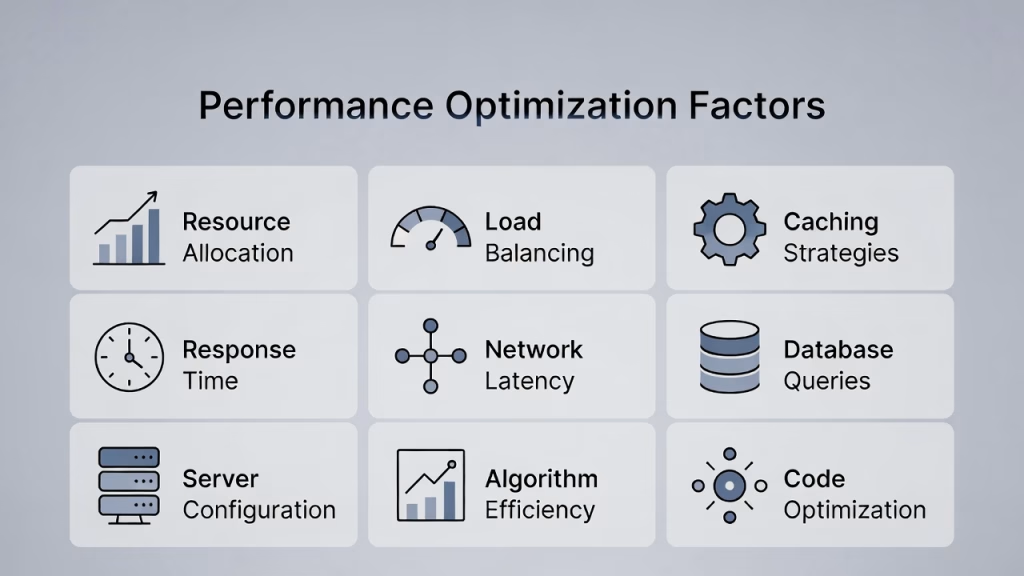
Performance Optimization Factors
Server Response Time Importance
Server response time directly impacts user experience and SEO.
A fast server ensures:
- Lower bounce rates
- Higher rankings
- Better user engagement
Caching Plugins and CDN Integration
Caching plugins store static versions of your site for faster loading.
CDN (Content Delivery Network) helps deliver content globally.
Benefits:
- Reduced latency
- Faster page speed
- Improved global access
Core Web Vitals Optimization
Google uses Core Web Vitals as ranking factors.
Focus on:
- Loading speed (LCP)
- Interactivity (FID)
- Visual stability (CLS)
Optimized hosting plays a major role here.
Security Essentials in WordPress Hosting
Malware Scanning and Firewalls: Core Security Essentials in WordPress Hosting
When it comes to choosing reliable wordpress hosting, security should be one of your top priorities. Among all security features, malware scanning and firewalls form the first and most critical line of defense against cyber threats. Without these protections, your website becomes vulnerable to attacks that can damage your data, reputation, and search engine rankings.
In today’s online landscape, websites are constantly targeted by hackers, bots, and malicious scripts. That’s why a strong security foundation at the hosting level is essential not optional.
What is Malware Scanning in WordPress Hosting?
Malware scanning is the process of detecting harmful files, scripts, or code that may have been injected into your website. These malicious elements can:
- Steal sensitive user data
- Redirect visitors to harmful websites
- Damage your website’s functionality
- Cause search engines to blacklist your site
A quality wordpress hosting provider performs automated and regular malware scans, ensuring threats are identified and removed before they cause serious damage.
Types of Malware Protection You Should Expect
Not all hosting providers offer the same level of protection. Look for advanced malware defense systems that include:
- Real-time scanning for immediate threat detection
- Automatic malware removal
- File integrity monitoring to detect unauthorized changes
- Scheduled security checks
These features ensure your website remains clean, secure, and operational at all times.
Understanding Firewalls · Your Website’s First Line of Defense
A firewall acts as a protective barrier between your website and incoming traffic. It filters and blocks malicious requests before they reach your server.
There are two main types of firewalls used in wordpress hosting:
1. Network Firewalls
- Protect the server infrastructure
- Block large-scale attacks
2. Web Application Firewalls (WAF)
- Protect your website at the application level
- Filter harmful HTTP requests
- Prevent common attacks like SQL injections and cross-site scripting (XSS)
Together, these firewalls create a layered security system that significantly reduces risk.
Why Malware Scanning and Firewalls Matter for SEO?
Security directly impacts your website’s performance and search engine rankings. If your site is infected or compromised, it can lead to:
- Search engine penalties
- Loss of organic traffic
- Warning labels in browsers
- Decreased user trust
A secure wordpress hosting environment ensures:
- Stable uptime guarantee
- Faster server response time
- Improved Core Web Vitals optimization
This helps maintain your site’s visibility and credibility.
Proactive Security vs Reactive Fixes
Relying on reactive solutions like fixing issues after an attack can be costly and time-consuming. Instead, proactive security measures such as malware scanning and firewalls help prevent problems before they occur.
Proactive security includes:
- Continuous monitoring
- Automatic threat blocking
- Instant alerts
- Preventive system updates
This approach keeps your website safe without constant manual intervention.
Best Practices for Maximum Protection
To fully secure your website, combine hosting-level security with smart practices:
- Use strong passwords and two-factor authentication
- Keep plugins and themes updated
- Limit login attempts
- Regularly review security logs
When paired with robust hosting security, these practices create a powerful defense system.
Choosing the Right Secure Hosting Provider
When selecting a hosting provider, ensure they offer:
- Built-in malware scanning
- Advanced firewall protection (WAF)
- Real-time monitoring
- Automatic threat removal
- Security-focused infrastructure
Investing in secure wordpress hosting not only protects your website but also ensures long-term performance, reliability, and peace of mind.
Automatic Backups and Recovery
Backups are your safety net.
Look for:
- Daily backups
- One-click restore options
- Offsite storage
Secure PHP Versions and MySQL Database
Updated PHP versions improve:
- Speed
- Security
- Compatibility
A well-optimized MySQL database ensures smooth data handling.
Scalability and Flexibility
Scalability Options for Growing Sites
As your site grows, your hosting should grow with it.
Look for:
- Easy upgrade paths
- Flexible resource allocation
- Cloud-based scaling
Migration Tools and Ease of Switching
Good hosting providers offer migration tools.
Benefits:
- Free site migration
- Minimal downtime
- No technical hassle
Control and Usability
Control Panel Features
A user-friendly control panel simplifies management.
Common tools include:
- File manager
- Database access
- One-click WordPress install
Domain Management and Email Accounts
Many hosts include:
- Free domain registration
- Email accounts
- DNS management
Managed vs Unmanaged WordPress Hosting
Benefits of Managed Services
Managed hosting offers:
- Hands-off maintenance
- Enhanced security
- Automatic updates
It’s perfect for beginners and businesses.
When to Choose Unmanaged Hosting?
Choose unmanaged hosting if:
- You’re technically skilled
- You want full control
- You need custom configurations
Cost vs Value in WordPress Hosting
Cheap hosting may cost less upfront but can lead to:
- Slow performance
- Frequent downtime
- Poor support
Investing in quality wordpress hosting ensures long-term success.
How to Choose the Best WordPress Hosting?
Follow these steps:
- Identify your website needs
- Estimate traffic levels
- Check performance features
- Compare pricing and value
- Read user reviews
Common Mistakes to Avoid
Avoid these pitfalls:
- Choosing based on price only
- Ignoring scalability
- Overlooking security features
- Not checking uptime guarantee
Conclusion
Choosing the right wordpress hosting is one of the most important decisions for your website’s success. From performance and security to scalability and ease of use, every factor plays a role in delivering a seamless user experience.
Whether you’re starting a small blog or running a large business, investing in the right hosting solution ensures faster speeds, better rankings, and long-term growth.